Aprilaire Model 60 Change Water Panel
One common household appliance failure that can significantly impact your comfort, especially during dry winter months, is a malfunctioning whole-house humidifier. Often, the issue stems from a neglected or saturated water panel, also known as an evaporator pad or humidifier filter. This article focuses specifically on troubleshooting issues related to changing the water panel in an Aprilaire Model 60 humidifier. We'll guide you through a step-by-step process to diagnose the problem and perform basic DIY maintenance, while emphasizing safety and when to call a professional.
Understanding the Aprilaire Model 60 Humidifier
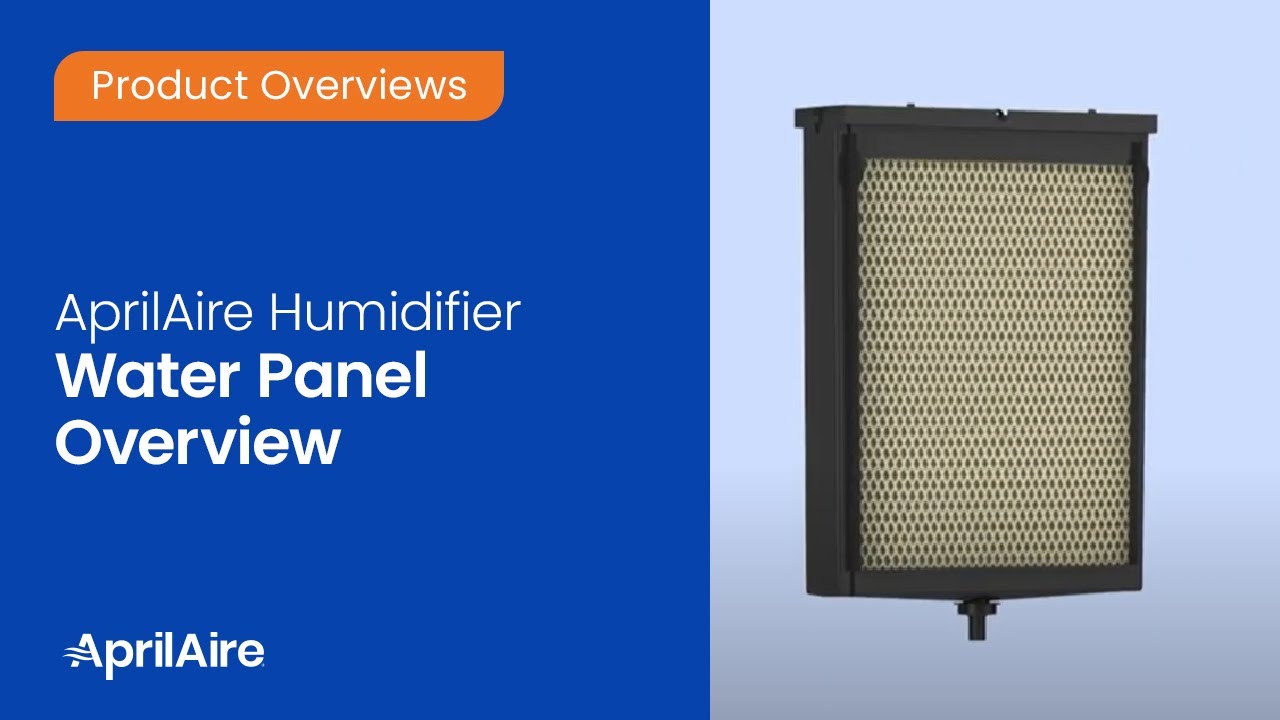
The Aprilaire Model 60 is a popular whole-house humidifier designed to add moisture to the air circulating through your HVAC system. It works by passing warm air from your furnace through a water-soaked panel. As the air passes through, it absorbs moisture, increasing the humidity level in your home. The water panel is a critical component, and its effectiveness diminishes as it becomes clogged with mineral deposits or saturated beyond its capacity.
Common Problems with the Aprilaire Model 60 (Related to the Water Panel)
Here are some common symptoms indicating a problem with your Aprilaire Model 60 that might be related to the water panel:
- Low Humidity Levels: The most obvious sign. Your home feels dry, and your hygrometer (humidity meter) reads lower than your desired setting.
- Humidifier Running Constantly: The humidifier is always on but not effectively increasing humidity.
- Water Dripping or Leaking: Water may be dripping from the humidifier unit or leaking onto the furnace or floor.
- Visible Mineral Buildup: You can see white, chalky deposits (scale) on the water panel or surrounding components.
- Unpleasant Odor: A musty or moldy smell coming from the humidifier.
Safety First! Important Precautions
Before you begin any troubleshooting, it's crucial to prioritize your safety:
- Turn off the Power: Disconnect the power to the humidifier at the circuit breaker or disconnect the power cord from the outlet. This is absolutely essential before touching any electrical components.
- Turn off the Water Supply: Locate the water supply valve that feeds the humidifier and turn it off. This will prevent water from flowing during your inspection and maintenance.
- Read the Manual: Refer to your Aprilaire Model 60 owner's manual for specific instructions and safety guidelines.
Troubleshooting Guide: Changing the Water Panel
Follow these steps to troubleshoot and replace the water panel in your Aprilaire Model 60:
Step 1: Accessing the Water Panel
- Locate the Humidifier: The Aprilaire Model 60 is typically mounted on the side of your furnace or ductwork.
- Remove the Cover: Most models have a hinged or removable cover secured by screws or clips. Refer to your manual for the specific removal method.
- Inspect the Water Panel: Once the cover is removed, you'll see the water panel inside. Examine its condition. Is it heavily coated with mineral deposits? Is it completely saturated and falling apart? Is it discolored or moldy?
Step 2: Checking the Water Supply
Even if the water panel appears to be the main issue, it's wise to check the water supply to ensure water is actually reaching the humidifier.
- Verify the Water Valve is Open (Slightly): Even if you turned it off earlier, briefly turn the water supply valve back on just a little. This will allow you to check if water is flowing to the solenoid valve (explained next).
- Listen for the Solenoid Valve: The solenoid valve controls the water flow into the humidifier. When the humidifier calls for water, the solenoid valve should open with a faint click or hum. If you don't hear anything, the solenoid valve might be faulty. This is an electrical component and should be inspected by a professional.
- Check the Water Line: Inspect the small plastic or copper water line leading to the humidifier for kinks, clogs, or leaks. Straighten any kinks. If the line is clogged, you may be able to carefully clear it with a small wire, but be very cautious not to damage the line.
Step 3: Removing the Old Water Panel
- Detach the Water Distribution Tray: Above the water panel, there's usually a tray or trough that distributes water evenly across the panel. Carefully detach this tray. It might be held in place by clips or slots.
- Remove the Old Panel: Gently slide the old water panel out of its frame or housing. Be prepared for some dripping water.
Step 4: Cleaning the Humidifier Components
While the humidifier is open, take the opportunity to clean the surrounding components:
- Clean the Water Distribution Tray: Rinse the tray with water to remove any mineral deposits or debris. You can use a mild solution of vinegar and water for stubborn buildup.
- Wipe Down the Interior: Use a damp cloth to wipe down the interior of the humidifier housing. Again, a mild vinegar and water solution can help remove mineral deposits.
- Inspect the Drain: Make sure the drain line (if your model has one) is clear and unobstructed.
Step 5: Installing the New Water Panel
- Install the New Panel: Slide the new water panel into its frame or housing, ensuring it's properly seated. Make sure the directional arrows on the panel are pointing in the correct direction (usually upward).
- Reattach the Water Distribution Tray: Reattach the water distribution tray to its original position.
Step 6: Reassembling and Testing
- Replace the Humidifier Cover: Reattach the humidifier cover, securing it with the screws or clips.
- Turn on the Water Supply: Slowly turn the water supply valve back on. Check for leaks around the humidifier and the water line.
- Turn on the Power: Restore power to the humidifier at the circuit breaker or by plugging it back in.
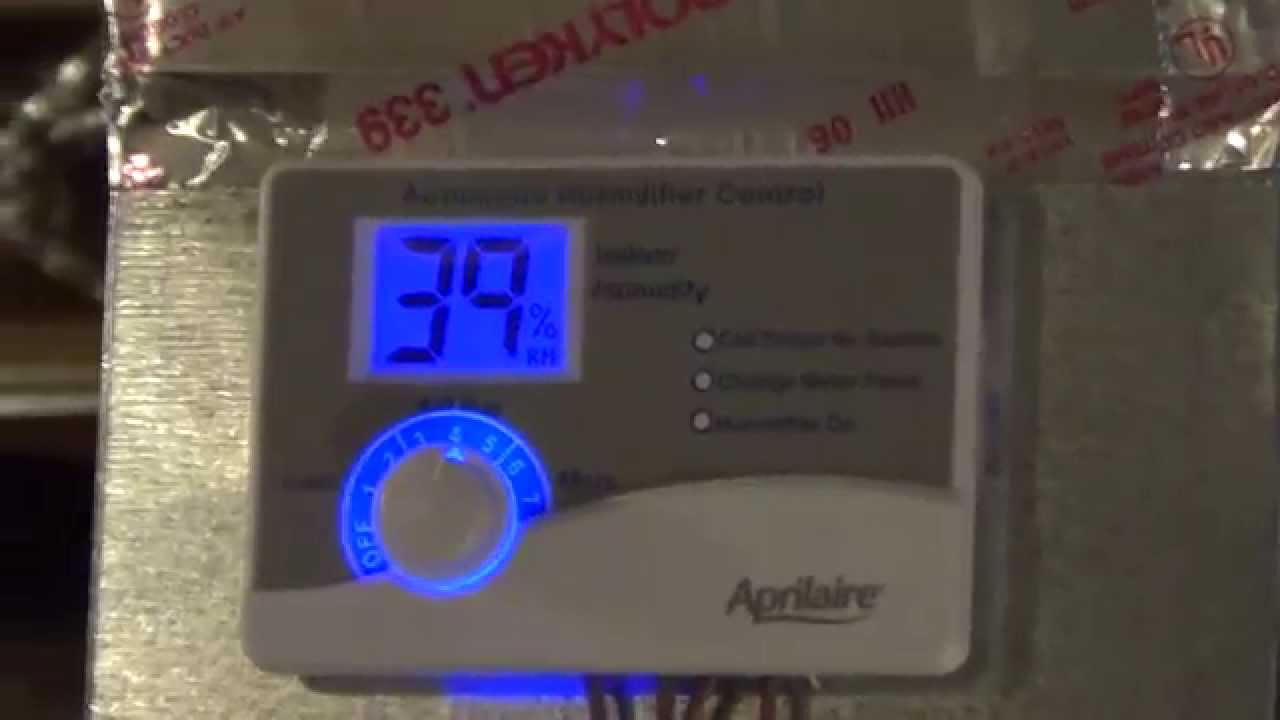
- Set the Humidistat: Set the humidistat (humidity control) to your desired level.
- Observe the Humidifier: Monitor the humidifier for a few hours to ensure it's operating correctly and that the humidity level in your home is increasing.
When to Call a Professional
While replacing the water panel is a relatively simple DIY task, certain problems require the expertise of a qualified HVAC technician. Do not attempt to repair the following issues yourself:
- Electrical Problems: If you suspect any electrical issues, such as a faulty solenoid valve, a malfunctioning humidistat, or damaged wiring, call a professional. Working with electricity can be dangerous.
- Gas Furnace Issues: If your humidifier is integrated with a gas furnace and you suspect a problem with the furnace itself, contact a qualified HVAC technician.
- Complex Component Failures: If you suspect a failure of the humidifier's motor, pump (if applicable), or other internal components, it's best to call a professional.
- Persistent Leaks: If you cannot stop a leak after replacing the water panel and checking the connections, a professional can diagnose the source of the leak and repair it properly.
- Mold or Significant Water Damage: If you discover significant mold growth around the humidifier or water damage to your furnace or surrounding areas, contact a professional for mold remediation and HVAC repair.
Tips for Maintaining Your Aprilaire Model 60 Humidifier
Regular maintenance can help prevent problems and extend the life of your humidifier:
- Replace the Water Panel Regularly: Aprilaire recommends replacing the water panel at least once a year, or more often if you have hard water or notice significant mineral buildup.
- Use a Water Softener (if applicable): If you have hard water, consider installing a water softener to reduce mineral buildup in your humidifier and other appliances.
- Adjust Humidistat Settings: Adjust the humidistat setting based on the outdoor temperature to prevent condensation on windows and walls. Lower the setting during colder periods.
- Clean the Humidifier Regularly: Clean the humidifier components at least once a year, even if you don't replace the water panel. This will help remove mineral deposits and prevent mold growth.
- Inspect Regularly: Periodically inspect the humidifier for leaks, mineral buildup, and other signs of problems. Address any issues promptly to prevent further damage.
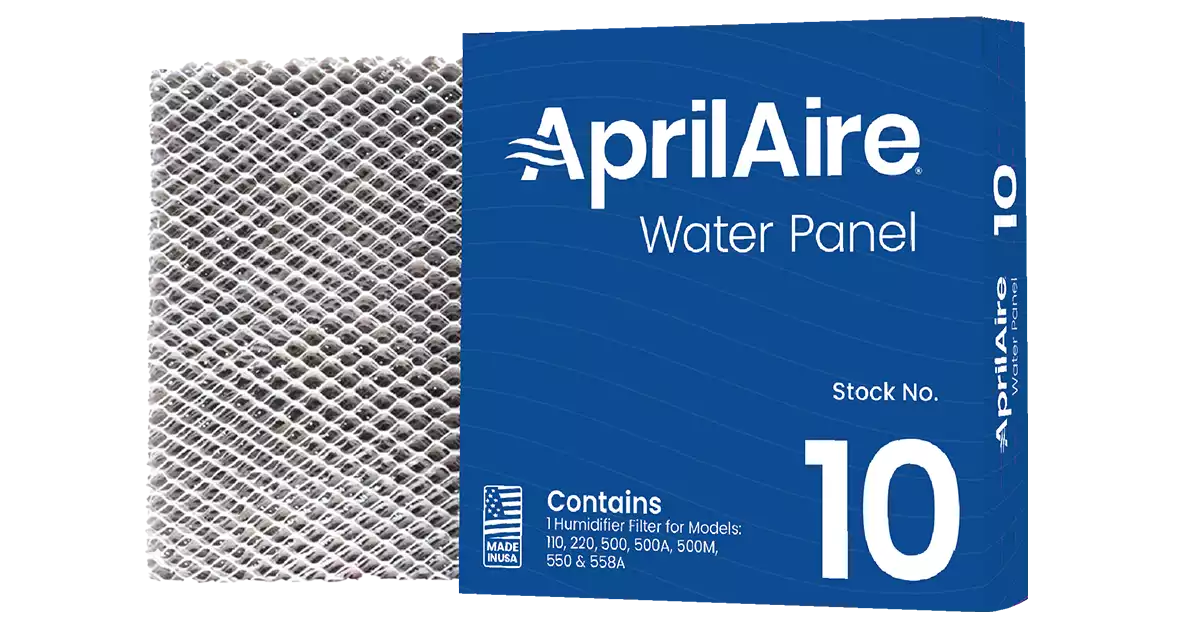
Choosing the Right Replacement Water Panel
Using the correct replacement water panel is crucial for optimal humidifier performance. Make sure to:
- Use the Correct Model Number: Ensure the replacement water panel is specifically designed for the Aprilaire Model 60. Using an incorrect panel can reduce efficiency or even damage the humidifier.
- Purchase from a Reputable Source: Buy replacement panels from a reputable retailer or HVAC supplier to ensure you're getting a genuine Aprilaire product.
- Consider Water Quality: If you have hard water, consider using a water panel designed to resist mineral buildup.
Troubleshooting Specific Scenarios
Here are some specific scenarios and potential solutions:
- Humidifier is running but no water is flowing to the panel: Check the water supply valve, solenoid valve, and water line for clogs or failures. This might require a professional.
- Water is constantly dripping from the humidifier: The drain may be clogged, or the solenoid valve might be leaking. Clear the drain and consider replacing the solenoid valve (professional recommended).
- Humidity level is fluctuating: Ensure the humidistat is properly calibrated and functioning correctly. Also, check for air leaks around windows and doors that could be affecting humidity levels.
By following these steps and using common sense, you can often troubleshoot and resolve water panel issues in your Aprilaire Model 60 humidifier. Remember to prioritize safety and call a professional when dealing with electrical, gas, or complex repairs. A little preventative maintenance can go a long way in keeping your home comfortable and your humidifier running efficiently.