Automatic Shut Off Valve For Water
Imagine this: you're away on vacation, relaxed and enjoying yourself, when you get a call. There's a water leak at your house! Thankfully, you have an automatic shut-off valve installed, designed to prevent a disaster. But what if it doesn't work? What if it's malfunctioning and, even worse, causing problems of its own? Many homeowners find themselves in this frustrating situation. This article will walk you through troubleshooting common issues with your automatic water shut-off valve.
Understanding Your Automatic Shut-Off Valve
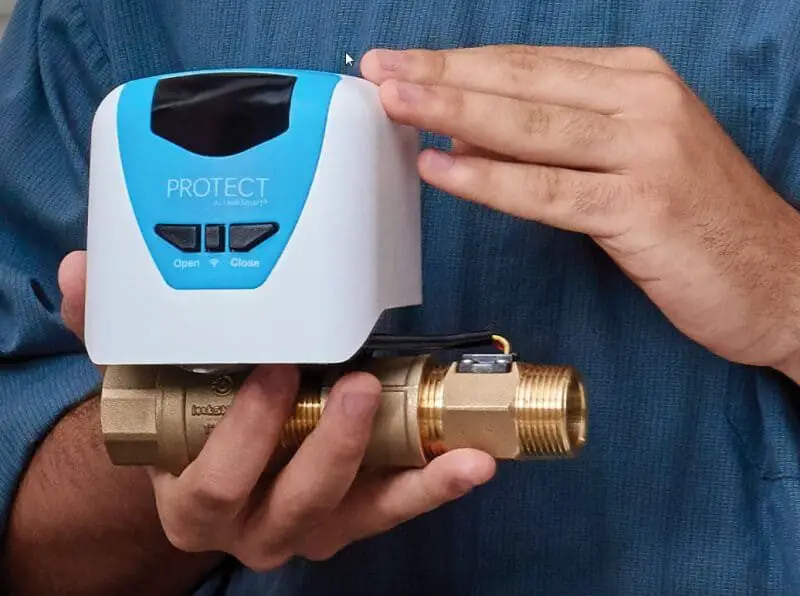
Before we dive into troubleshooting, let's briefly cover the basics. An automatic water shut-off valve, also known as a smart water valve, is designed to automatically turn off your main water supply in the event of a leak. These systems typically use sensors placed in strategic locations (near washing machines, water heaters, toilets, etc.) to detect moisture. When a leak is detected, the sensor sends a signal to the valve, which then closes, preventing further water damage. There are different types of automatic shut-off valves, but the principles remain similar.
Common Problems
Here are some of the most frequent issues homeowners encounter:
- False Alarms: The valve shuts off the water even when there's no actual leak.
- Failure to Shut Off: A leak is detected, but the valve doesn't close.
- Valve Won't Open: After a shut-off (real or false), the valve refuses to reopen.
- Connectivity Issues: If it's a smart valve, it might lose connection to the network or app.
- Low Battery: Sensor or valve losing power.
- General Malfunction: The system behaves erratically, with no clear pattern.
Troubleshooting Step-by-Step
Let's get down to diagnosing and fixing these problems. Remember, safety first! If you're uncomfortable working with plumbing or electricity, don't hesitate to call a qualified plumber or electrician.
1. Check the Basics
Before you start dismantling anything, let's rule out the obvious:
- Power Supply: Is the valve (and the sensors) properly powered? Check the power adapter, batteries (if applicable), and electrical outlet. Replace batteries in sensors and the main valve unit. Ensure the outlet is working by plugging in another device.
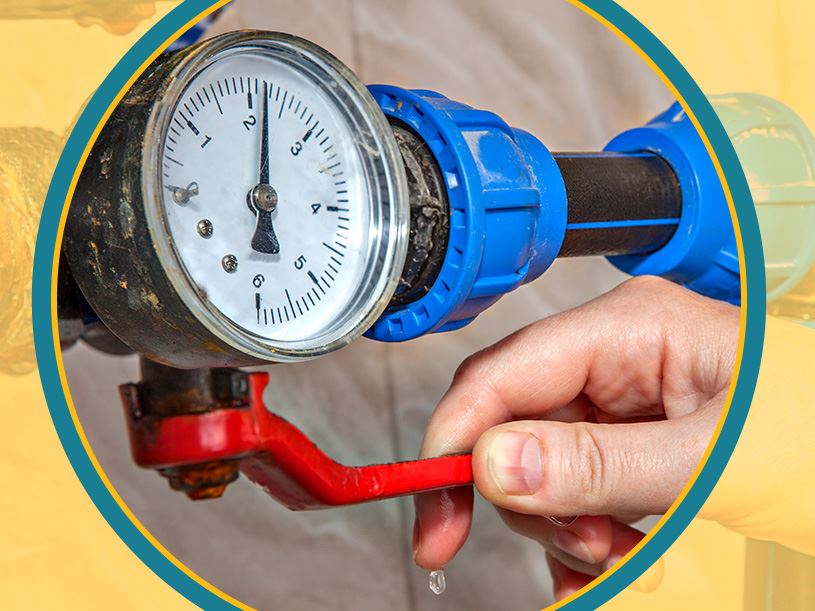
- Water Pressure: Is your water pressure unusually low or high? Extreme pressure fluctuations can sometimes trigger false alarms or prevent the valve from operating correctly. A pressure regulator might be necessary.
- Loose Connections: Examine all wiring and connections associated with the valve and sensors. Make sure everything is securely plugged in and that there are no loose wires or corroded terminals.
2. Addressing False Alarms
False alarms are frustrating because they interrupt your water supply unnecessarily. Here's how to troubleshoot them:
- Sensor Placement: Are the sensors placed correctly? They should be positioned in areas where leaks are *likely* to occur but *not* where they're exposed to normal moisture (like condensation from a cold pipe). Consider repositioning sensors slightly.
- Clean the Sensors: Dust, dirt, or even mineral buildup on the sensors can trigger false readings. Gently clean the sensors with a damp cloth. Make sure they are completely dry before putting them back in place.
- Check for Condensation: Condensation can mimic a leak. Ensure sensors are not in direct contact with cold pipes prone to condensation. Insulate cold pipes to reduce condensation.
- Adjust Sensitivity Settings (if applicable): Some smart valve systems allow you to adjust the sensitivity of the sensors. If you're experiencing frequent false alarms, try lowering the sensitivity slightly. Refer to your user manual for instructions.
3. When the Valve Fails to Shut Off
This is a critical issue, as it defeats the purpose of the automatic shut-off valve. Here's what to check:
- Sensor Activation: Did the sensor actually detect a leak? Verify that the sensor is indicating a leak by checking its LED indicator or the system's app. If the sensor *isn't* detecting a leak, then the valve isn't receiving the signal to close. Focus on troubleshooting the sensor itself (see above).
- Manual Shut-Off Test: Most automatic valves have a manual shut-off override. Try manually closing the valve. If it doesn't close manually, the valve itself may be defective. This is a strong indicator you need a professional.
- Obstructions: Inspect the valve for any physical obstructions that might be preventing it from closing. Debris can sometimes get lodged inside the valve mechanism.
- Wiring Issues: Check the wiring between the sensor and the valve. A broken or damaged wire can prevent the signal from reaching the valve.
4. Valve Won't Open After Shut-Off
If the valve won't reopen, you're without water. Here's what to do:
- Confirm No Leak: *Absolutely* confirm that the original leak (or perceived leak) has been resolved. If there's still moisture present, the valve is doing its job and preventing further damage.
- Manual Override: Most valves have a manual override to reopen them. Consult your user manual for the specific procedure. Typically, this involves turning a handle or pressing a button.
- Power Cycle: Try power cycling the entire system. Unplug the valve (and any connected sensors) from the power source, wait a minute, and then plug them back in. This can sometimes reset the system and clear any temporary glitches.
- Check Valve Position Indicator: Some valves have a visual indicator (a lever or mark) showing whether they are open or closed. Make sure the indicator matches the actual valve position.
- Stuck Valve: Sometimes, a valve can become stuck due to mineral buildup or corrosion. Gently tap the valve body with a rubber mallet (or the handle of a screwdriver) to try to dislodge any obstructions. Do not use excessive force.
5. Addressing Connectivity Issues (Smart Valves)
If you have a smart valve, connectivity problems can prevent you from monitoring the system and receiving alerts. Here's how to troubleshoot them:
- Check Your Wi-Fi: Ensure your Wi-Fi network is working correctly. Test it with another device to confirm that you have internet access.
- Router Proximity: Is the valve within range of your Wi-Fi router? If it's too far away, the signal may be weak. Consider moving the router closer or using a Wi-Fi extender to boost the signal.
- App Updates: Make sure you have the latest version of the valve's app installed on your smartphone or tablet. Outdated apps can sometimes cause connectivity problems.
- Reconnect to Wi-Fi: Try reconnecting the valve to your Wi-Fi network. This usually involves using the app to enter your Wi-Fi password and re-establish the connection. Refer to your user manual for specific instructions.
- Firewall Issues: Your firewall or router settings might be blocking the valve's connection. Check your firewall settings to ensure that the valve's communication ports are open. Consult your router's documentation for instructions on how to do this.
6. Low Battery Issues
Dead batteries in sensors or the valve itself are a common cause of malfunction.
- Replace Batteries Regularly: Even if the system isn't indicating a low battery, it's a good practice to replace the batteries in the sensors and valve at least once a year.
- Check Battery Type: Ensure you're using the correct type of batteries (e.g., AA, AAA, lithium) as specified in the user manual.
- Clean Battery Contacts: Corrosion on the battery contacts can prevent proper electrical flow. Clean the contacts with a cotton swab dipped in rubbing alcohol.
When to Call a Professional
While many of these issues can be resolved with simple DIY troubleshooting, there are certain situations where professional help is essential. Call a qualified plumber or electrician immediately if:
- You suspect a major leak: If you see significant water damage, shut off the main water supply manually (if possible) and call a plumber immediately. Don't rely solely on the automatic valve.
- The valve is physically damaged: Cracks, leaks, or other physical damage to the valve body require professional replacement.
- The valve doesn't close manually: As mentioned earlier, if the valve won't close manually, it's likely defective and needs to be replaced.
- You're uncomfortable working with plumbing or electricity: Safety is paramount. If you're not confident in your abilities, don't hesitate to call a professional.
- You've tried all the troubleshooting steps and the problem persists: Sometimes, the issue is more complex than you can handle on your own. A professional can diagnose the problem and provide the necessary repairs or replacements.
- The system is under warranty: Attempting to repair the valve yourself may void the warranty. Contact the manufacturer for assistance.
Specifically, if you notice any of the following, a professional is needed:
- Constant buzzing or grinding noise coming from the valve even when not in operation. This could indicate a failing motor or internal component.
- Visible corrosion on the valve body, especially around electrical connections. This can lead to unreliable operation and potential electrical hazards.
- The valve is hot to the touch. This is a sign of an electrical problem and requires immediate attention.
- Water leaking from the valve itself, not just from connected pipes. This indicates a failure of the valve's internal seals.
- The system continues to trigger even after replacing all the sensors. This points to a central controller failure needing expert diagnosis.
Preventative Maintenance
Like any mechanical device, your automatic shut-off valve benefits from regular maintenance. Here are a few tips to keep it in good working order:
- Test the valve regularly: At least once every few months, manually trigger a shut-off to ensure the valve is functioning correctly.
- Inspect the sensors: Check the sensors periodically for dirt, debris, and corrosion. Clean them as needed.
- Replace batteries: Replace the batteries in the sensors and valve annually, even if they're not showing signs of weakness.
- Keep the area around the valve clear: Ensure there are no obstructions that could prevent the valve from closing or being accessed for maintenance.
- Consult the user manual: Refer to your user manual for specific maintenance recommendations from the manufacturer.
By following these troubleshooting steps and preventative maintenance tips, you can keep your automatic water shut-off valve functioning effectively and protect your home from costly water damage. Remember, a little preventative action can save you a lot of trouble in the long run.