Carrier Serial Number Lookup
Ever found yourself needing information about your Carrier HVAC system, only to be stumped because you can't find the serial number? It's a common problem! Whether you're booking a repair, ordering a replacement part, or simply registering your product for warranty, the serial number is essential. This article will guide you through locating your Carrier serial number and what to do if you encounter difficulties.
Finding the Serial Number: A Step-by-Step Guide
The serial number is a unique identifier for your specific unit. Think of it like a VIN for your car. It helps manufacturers and technicians pinpoint the exact model and specifications of your equipment. Let's break down where to look.
Step 1: Identify Your Unit
First, determine which Carrier unit you need the serial number for. Are you looking for the serial number of your outdoor air conditioner or heat pump? Or perhaps you need the number from your indoor furnace or air handler? Knowing which unit you're targeting will streamline the process.
Step 2: Check the Outdoor Unit (Air Conditioner or Heat Pump)
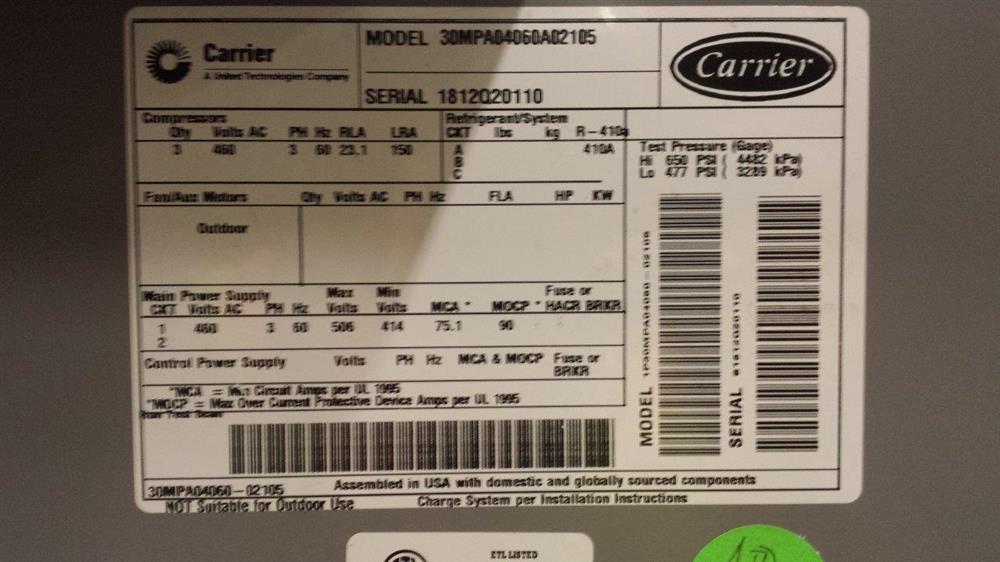
The serial number on an outdoor unit is typically found on a nameplate. This nameplate is usually a metallic or plastic tag affixed to the unit's exterior cabinet. Here's what to do:
- Visually Inspect the Unit: Walk around the entire outdoor unit, looking for any attached plates or stickers. Pay close attention to the sides and back of the unit, as sometimes the nameplate isn't on the front.
- Locate the Nameplate: The nameplate usually contains information like the model number, serial number, and manufacturing date.
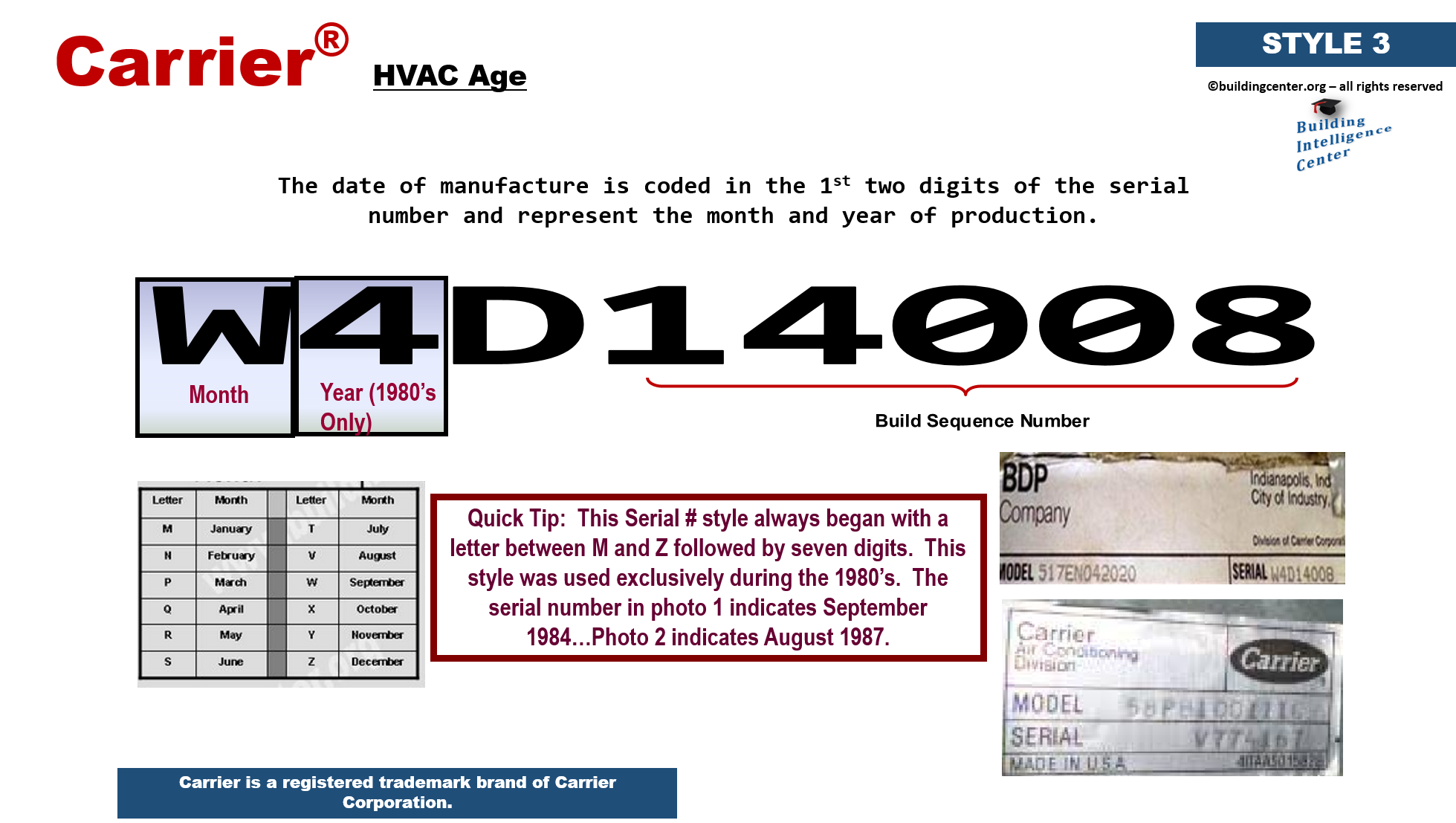
- Identify the Serial Number: On the nameplate, look for a field labeled "Serial Number," "Serial No.," or simply "S/N." The serial number is usually a string of alphanumeric characters (letters and numbers).
- Record the Serial Number: Once you've found the serial number, carefully write it down or take a clear picture of the nameplate with your phone. This ensures you have an accurate record.
Safety First: Before touching the unit, make sure the power is OFF at the disconnect box (usually a gray box near the unit). This is especially important if the unit looks damaged or if you're working in wet conditions.
Step 3: Check the Indoor Unit (Furnace or Air Handler)
The process for finding the serial number on the indoor unit is similar. The nameplate is typically located inside the unit's cabinet. Here's the procedure:
- Locate the Indoor Unit: This is usually in your basement, attic, closet, or utility room.
- Turn Off the Power: Crucially, before opening any panels, turn off the power to the furnace or air handler at the breaker box. This is for your safety.
- Remove the Access Panel: Most furnaces and air handlers have removable access panels. These panels are usually held in place by screws or clips. Carefully remove the panel.
- Locate the Nameplate: Look inside the unit for the nameplate, which is usually attached to the interior wall of the cabinet. You might need a flashlight to see clearly.
- Identify the Serial Number: As with the outdoor unit, look for the "Serial Number," "Serial No.," or "S/N" field on the nameplate.
- Record the Serial Number: Write down the serial number or take a picture.
- Reattach the Access Panel: Once you've recorded the serial number, carefully reattach the access panel and secure it properly.
- Turn the Power Back On: Finally, turn the power back on at the breaker box.
Important Note: If you're uncomfortable removing the access panel or working with electrical components, do not proceed. Contact a qualified HVAC technician.
Step 4: Check Your Paperwork
If you're unable to locate the serial number on the unit itself, don't panic! It might be listed in your original purchase documents, such as:
- Sales Receipt
- Warranty Registration Card
- Installation Invoice
- Owner's Manual
Take some time to search through your files for these documents. The serial number is often included as part of the equipment details.
Step 5: Contact the Installer
If you still can't find the serial number, your next step should be to contact the company that installed the HVAC system. They usually keep records of the equipment they install, including the serial numbers. If you remember who installed the system, give them a call. They may be able to retrieve the serial number from their records.
Troubleshooting: What to Do When You Can't Find the Serial Number
Sometimes, finding the serial number isn't as straightforward as it seems. Here are some common issues and how to address them:
Problem: The Nameplate is Missing or Damaged
Diagnosis: The nameplate may have fallen off due to weather, corrosion, or accidental damage. Or, the printing on the nameplate may have faded over time, making it impossible to read the serial number.
DIY Fix: Unfortunately, there's no DIY fix for a missing or illegible nameplate. If you've already checked your paperwork and contacted the installer, your best bet is to contact a qualified HVAC technician. They have specialized tools and knowledge to potentially identify the unit and estimate its specifications, even without the serial number. They may be able to contact Carrier directly with other identifying information.
When to Call a Professional: Immediately. Attempting to guess or fabricate a serial number can lead to incorrect parts being ordered or even voiding your warranty.
Problem: The Serial Number Doesn't Seem Valid
Diagnosis: You've found a number that looks like a serial number, but it doesn't seem to be recognized when you enter it online or give it to a technician. This could be due to a few reasons:
- Typos: It's easy to misread or mis-transcribe alphanumeric characters.
- Incorrect Label: You might be looking at a different code on the nameplate (e.g., the model number).
- Manufacturing Error: In rare cases, there might be an error in the serial number itself.
DIY Fix:
- Double-Check for Typos: Carefully compare the serial number you've recorded with the one on the nameplate. Pay close attention to similar-looking characters (e.g., 0 and O, 1 and I).
- Try Different Combinations: If you're unsure about a character, try entering the serial number with different possibilities (e.g., try both "0" and "O" in the suspect position).
- Verify it's the Serial Number: Make sure you are indeed looking at the correct field on the nameplate. Look for labels like "Serial Number," "Serial No.," or "S/N."
When to Call a Professional: If you've exhausted all the DIY checks and the serial number still doesn't seem valid, contact a Carrier dealer or a qualified HVAC technician. They can help you verify the serial number and determine if there's a different way to identify the unit.
Problem: The Unit is Very Old
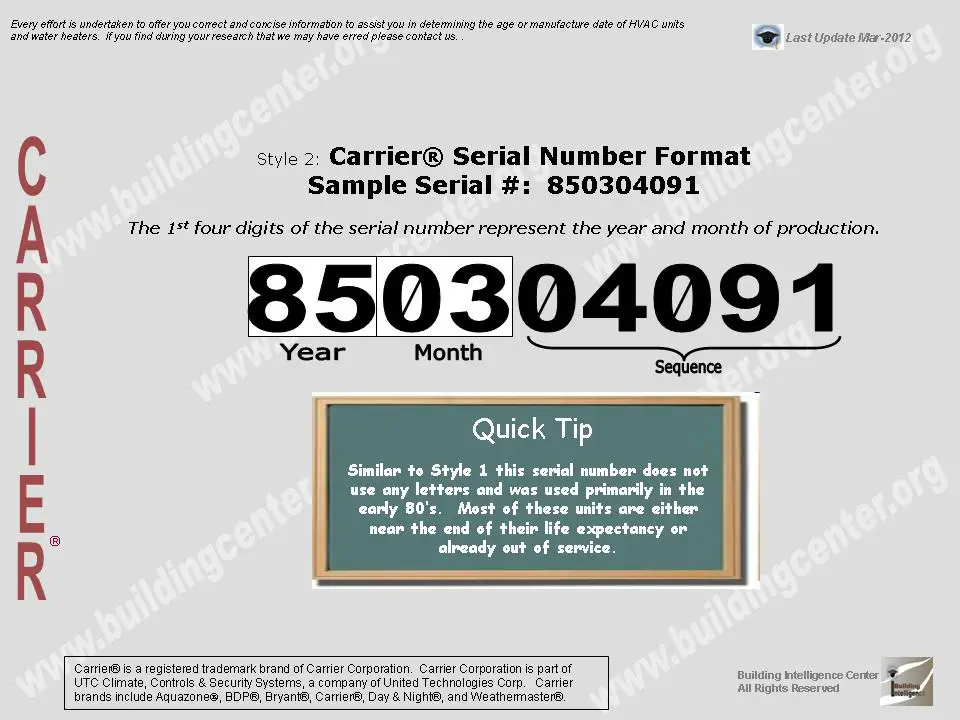
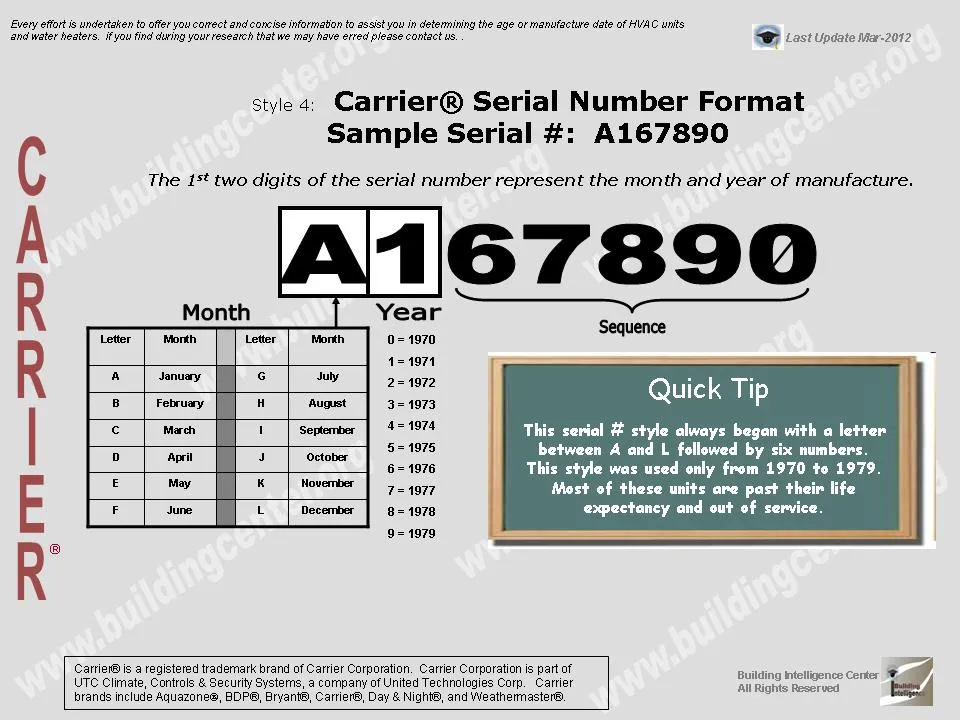
Diagnosis: Older Carrier units might have serial numbers that don't conform to current formats. Also, the manufacturing records for very old units may no longer be readily available.
DIY Fix: Unfortunately, there's often little you can do to directly find the serial number for very old units if the nameplate is missing or illegible.
When to Call a Professional: Contacting a qualified HVAC technician is your best course of action. While they may not be able to retrieve the exact serial number, they can often assess the unit's age, capacity, and other specifications based on its physical characteristics and internal components. This information can be helpful for determining replacement parts or evaluating the system's overall condition.
Why the Serial Number Matters
Finding the serial number isn't just about satisfying curiosity. It plays a vital role in several key areas:
- Warranty Claims: The serial number is essential for processing warranty claims. It allows Carrier to verify the unit's purchase date and warranty coverage.
- Ordering Replacement Parts: The serial number ensures you get the correct replacement parts for your specific unit. Using the wrong parts can damage the system or void the warranty.
- Accurate Diagnostics and Repairs: Technicians use the serial number to access detailed information about your unit's specifications, wiring diagrams, and troubleshooting procedures. This helps them diagnose and repair problems more effectively.
- Product Registration: Registering your product with Carrier using the serial number ensures you receive important updates, safety recalls, and warranty information.
When to Call a Professional: A Recap
While many serial number issues can be resolved with careful searching and troubleshooting, there are certain situations where professional help is essential:
- Missing or Illegible Nameplate: If the nameplate is missing or the serial number is unreadable, a technician can help identify the unit.
- Suspect Electrical Problems: If you suspect any electrical issues with your HVAC system, do not attempt to troubleshoot it yourself. Contact a qualified electrician or HVAC technician immediately.
- Unfamiliar with HVAC Systems: If you're not comfortable working with HVAC equipment, it's always best to err on the side of caution and seek professional assistance.
- Validating Serial Number: If the number found does not seem to be the valid serial number, call for professional assistance.
By following these steps and knowing when to call for help, you can confidently navigate the process of finding your Carrier serial number and ensure your HVAC system receives the proper care and maintenance.