Carrier Serial Number Warranty Lookup

Navigating the world of HVAC systems can feel like a maze, especially when it comes to warranties. Understanding your Carrier warranty is crucial for protecting your investment and ensuring peak performance, which translates directly to lower energy bills and a smaller carbon footprint. This article breaks down everything you need to know about Carrier serial number warranty lookup, helping you maximize your savings and keep your system running efficiently for years to come.
Why Understanding Your Carrier Warranty Matters
A robust warranty provides peace of mind, covering unexpected repairs and part replacements. But beyond just avoiding out-of-pocket costs, a valid warranty encourages regular maintenance. This, in turn, ensures your system operates at optimal efficiency. Consider it this way: a well-maintained HVAC system, covered by warranty, is an investment in long-term energy savings and a reduced risk of costly breakdowns.
Here's a breakdown of the key benefits:
- Cost Savings: Warranty coverage minimizes expenses related to repairs and part replacements.
- Energy Efficiency: Regular maintenance, often prompted by warranty requirements, ensures your system runs efficiently, lowering your monthly energy bills.
- Extended Lifespan: Proper care and timely repairs, both incentivized by a warranty, can significantly extend the lifespan of your HVAC system.
- Home Value: A transferable warranty can add value to your home if you decide to sell. Buyers appreciate the assurance of coverage.
Finding Your Carrier Serial Number: The Key to Unlocking Warranty Information
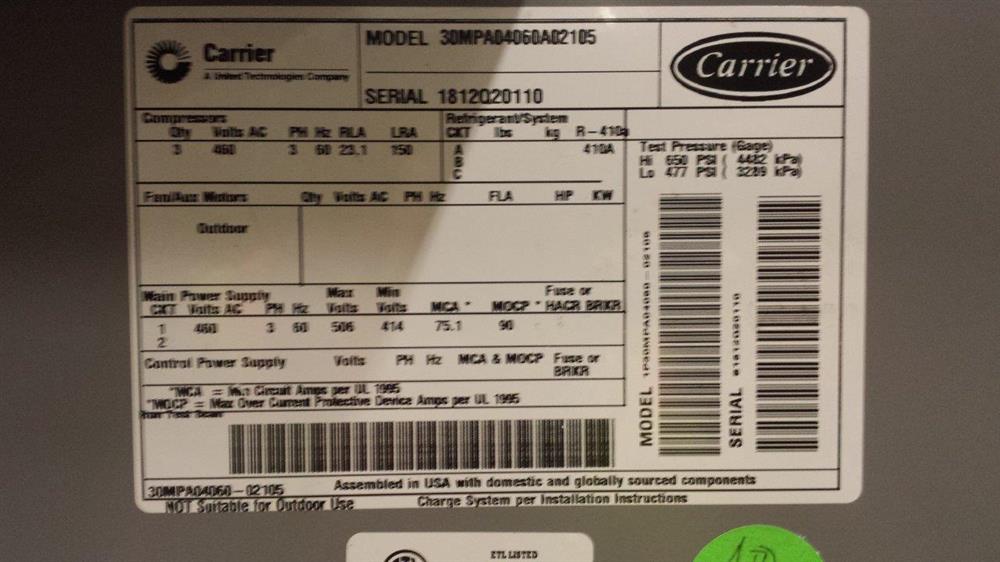
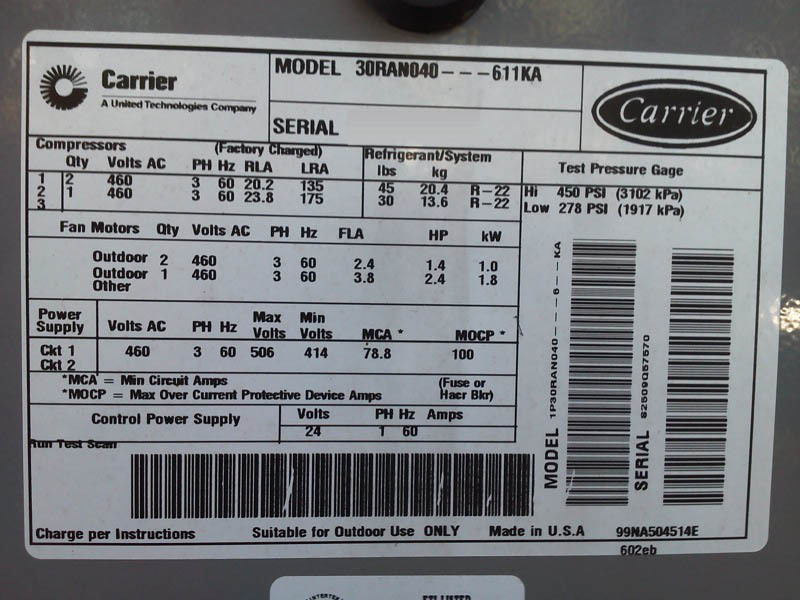
The first step in accessing your Carrier warranty information is locating the serial number. This unique identifier is like the system's fingerprint, providing access to specific warranty details. Typically, you'll find the serial number on the unit's nameplate, which is usually located on the exterior of the outdoor unit (condenser) or inside the access panel of the indoor unit (furnace or air handler).
Here's where to look:
- Outdoor Unit (Condenser): Check the side or back of the unit. The nameplate is usually a metallic sticker with information printed on it.
- Indoor Unit (Furnace or Air Handler): You'll likely need to remove the access panel. Consult your owner's manual for safe panel removal instructions. The nameplate is usually located on an interior wall or panel.
- Smart Thermostats: Some smart thermostats may also display system information, including the model and serial number, within their settings menu. Check your thermostat's manual for details.
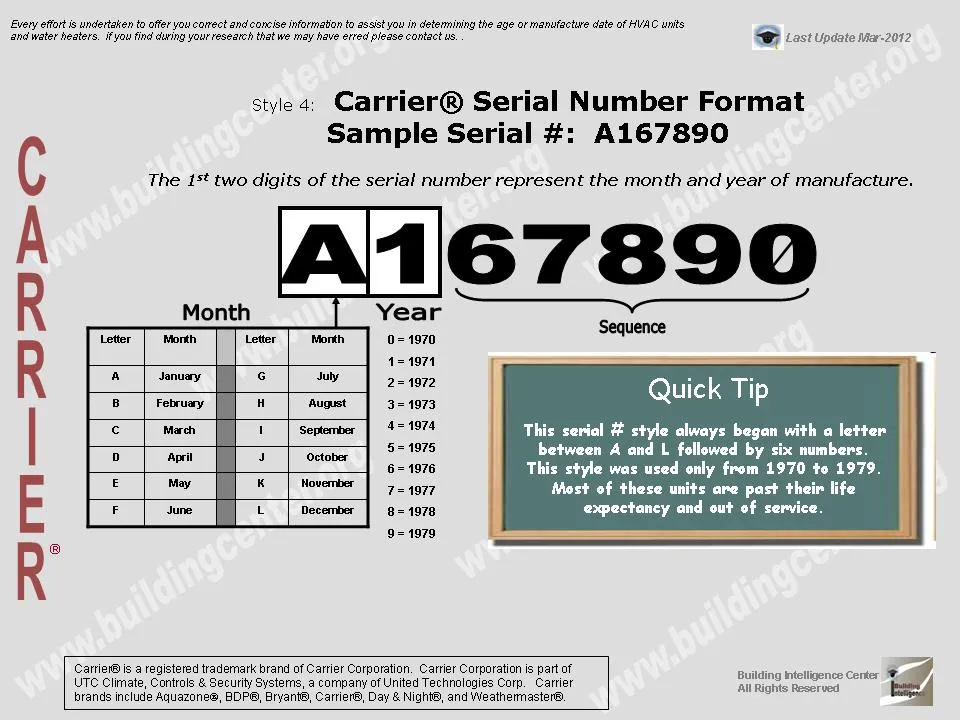
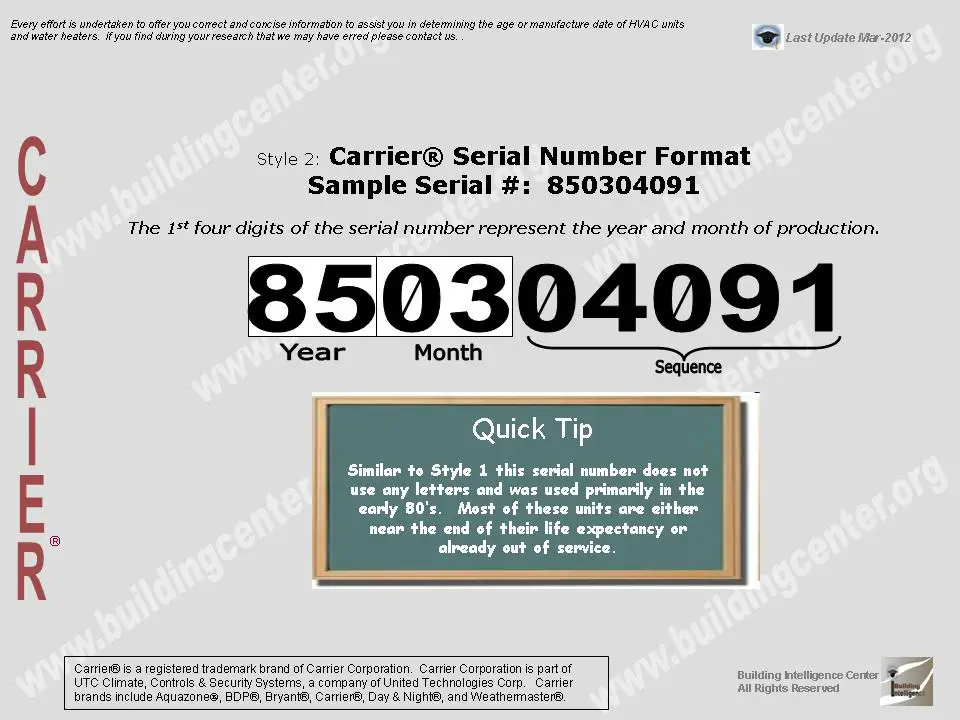
The serial number is a string of alphanumeric characters. Make sure to record it accurately, as even a single digit error can prevent you from accessing your warranty information. Common examples might look like “1234A56789” or “WXYZ012345”.
Using the Carrier Serial Number Warranty Lookup Tool
Once you have your serial number, you can use Carrier's online warranty lookup tool. To access it, visit the official Carrier website and navigate to the "Warranty" or "Support" section. Look for a tool specifically designed for warranty lookup using the serial number.
The process is usually straightforward:
- Enter the Serial Number: Carefully type the serial number into the designated field. Double-check for accuracy.
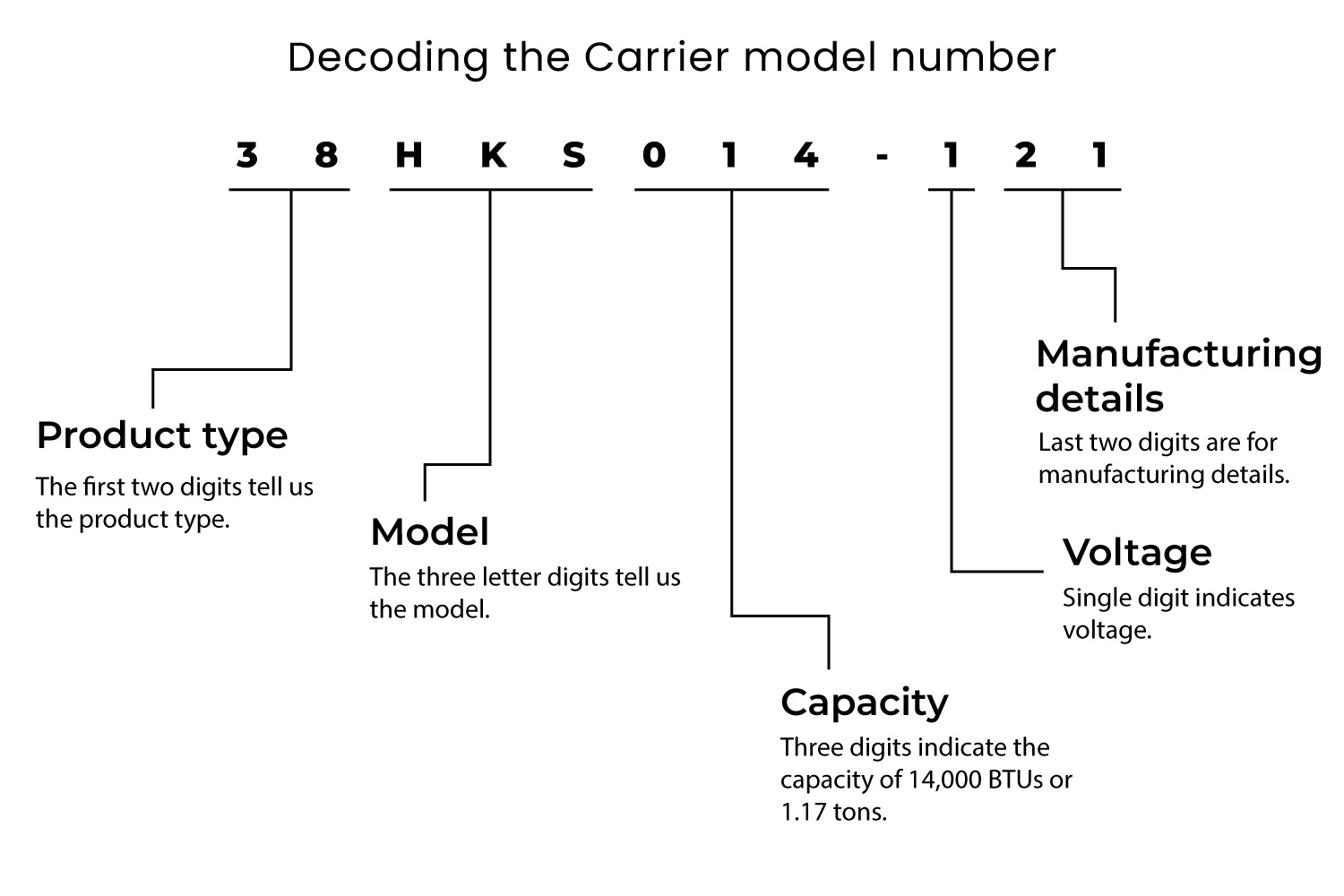
- Enter the Model Number: You may also be asked to enter the model number, which is also found on the unit's nameplate.
- Submit the Information: Click the "Submit" or "Search" button.
The tool will then display your warranty details, including the coverage period, covered components, and any applicable limitations. If you encounter issues using the online tool, contact Carrier's customer support directly for assistance.
Important Note: Carrier’s website is the most reliable source. Be wary of third-party websites promising warranty lookups, as they may not provide accurate information or could be scams.
Understanding Different Types of Carrier Warranties
Carrier offers different types of warranties, each with varying levels of coverage. Understanding the nuances of each type is critical for maximizing your protection.
Base Warranty
The base warranty is the standard coverage that comes with most Carrier systems. It typically covers major components like the compressor, heat exchanger, and other critical parts for a specified period (e.g., 5 or 10 years). Labor costs are often not included in the base warranty.
Registered Warranty
Registering your product with Carrier within a specified timeframe (usually 60-90 days after installation) often unlocks extended warranty coverage. This can include extending the base warranty period or adding coverage for labor costs.
Registration is crucial. Failure to register your system could result in a reduced warranty period or limited coverage.
Extended Warranty
Carrier also offers extended warranties, which provide coverage beyond the standard warranty period. These extended warranties can offer comprehensive protection against unexpected repairs, including both parts and labor. They are typically purchased separately and can be a worthwhile investment, especially for homeowners concerned about long-term maintenance costs.
Consider the ROI of an extended warranty. While it involves an upfront cost, it can potentially save you thousands of dollars in repair bills over the life of your system. Factor in the cost of potential repairs, the age of your system, and your comfort level with risk when making your decision.
Warranty Coverage and Energy-Efficient Components
Many modern Carrier systems incorporate energy-efficient components designed to reduce energy consumption. These components, such as variable-speed compressors, electronically commutated motors (ECMs), and advanced heat exchangers, are typically covered under the standard warranty.
However, it's essential to understand the specific coverage for these components, as their repair or replacement can be costly. Check your warranty documentation for details on the coverage period and any limitations that may apply.
Investing in energy-efficient HVAC systems is not just about reducing your carbon footprint; it’s also about saving money on your energy bills. Energy Star certified HVAC systems, for example, meet strict energy efficiency guidelines set by the U.S. Environmental Protection Agency (EPA). These systems can significantly lower your energy consumption and qualify for rebates and incentives offered by local utilities and government programs.
Smart HVAC Integration and Warranty Considerations
Integrating your Carrier HVAC system with smart home technology, such as smart thermostats and sensors, can further enhance energy efficiency and provide greater control over your home's climate. However, it's essential to consider the potential impact on your warranty.
While smart thermostats generally don't void your warranty, improper installation or configuration can potentially cause issues that may not be covered. Always consult with a qualified HVAC technician or smart home professional for installation and configuration to ensure compatibility and avoid any warranty-related problems.
Smart thermostats offer numerous benefits, including:
- Remote Control: Adjust your thermostat from anywhere using your smartphone or tablet.
- Energy Savings: Program your thermostat to automatically adjust temperature settings based on your schedule, reducing energy waste.
- Smart Learning: Some thermostats learn your habits and preferences over time, automatically optimizing temperature settings for maximum comfort and efficiency.
- Integration with Other Smart Home Devices: Connect your thermostat to other smart home devices, such as lights and security systems, for a seamless and automated home experience.
Troubleshooting Common Warranty Issues
Even with a valid warranty, you may encounter issues when filing a claim. Here are some common problems and how to address them:
- Lack of Registration: Ensure your system is properly registered with Carrier to avoid reduced coverage or denial of claims.
- Improper Installation: If your system was not installed by a qualified HVAC technician, your warranty may be voided. Always use a licensed and insured contractor.
- Lack of Maintenance: Regular maintenance is crucial for maintaining your warranty. Keep records of all maintenance performed on your system.
- Unauthorized Repairs: Using non-approved parts or having repairs performed by an unauthorized technician can void your warranty.
If you encounter any of these issues, contact Carrier's customer support or your installing contractor for assistance. They can help you navigate the warranty process and resolve any disputes.
Tips for Maximizing Your Carrier Warranty
Here are some practical tips to help you maximize your Carrier warranty and ensure long-term energy savings:
- Register Your System Immediately: Don't delay! Register your system within the specified timeframe to unlock extended coverage.
- Keep Detailed Records: Maintain records of all maintenance, repairs, and inspections performed on your system. This documentation will be essential when filing a warranty claim.
- Schedule Regular Maintenance: Regular maintenance is crucial for keeping your system running efficiently and preventing costly breakdowns. Schedule annual tune-ups with a qualified HVAC technician.
- Use a Qualified HVAC Technician: Always use a licensed and insured HVAC contractor for installation, repairs, and maintenance.
- Understand Your Warranty Coverage: Read your warranty documentation carefully to understand the covered components, coverage period, and any limitations.
- Consider an Extended Warranty: If you're concerned about long-term maintenance costs, consider purchasing an extended warranty for added protection.
- Utilize Smart HVAC Technology: Integrate your system with smart thermostats and sensors to optimize energy efficiency and enhance comfort.
Carrier’s Commitment to Sustainability and Energy Efficiency
Carrier is committed to developing sustainable and energy-efficient HVAC solutions that reduce environmental impact and lower energy costs. Their dedication to innovation is evident in their wide range of energy-efficient products, including heat pumps, high-efficiency furnaces, and smart thermostats.
By choosing Carrier, you're not only investing in a reliable and durable HVAC system, but you're also contributing to a more sustainable future. Their ongoing efforts to improve energy efficiency and reduce greenhouse gas emissions make them a leader in the industry.
Ultimately, understanding your Carrier serial number warranty and taking steps to maximize its benefits is a smart move for any homeowner or business owner looking to save money on energy bills, protect their investment, and contribute to a more sustainable future. Remember to register your system, schedule regular maintenance, and utilize smart HVAC technology to unlock the full potential of your Carrier system.