Difference Between Absolute Humidity And Relative Humidity
Have you ever noticed your home feeling overly sticky in the summer or bone-dry in the winter? Sometimes, your dehumidifier or humidifier just doesn't seem to be doing its job. Before you call a repair technician, understanding the difference between absolute humidity and relative humidity can help you diagnose the problem, possibly saving you time and money.
Understanding Humidity: The Basics
Humidity, in simple terms, is the amount of moisture in the air. But there's more to it than just that.
Absolute Humidity: The Actual Moisture Content
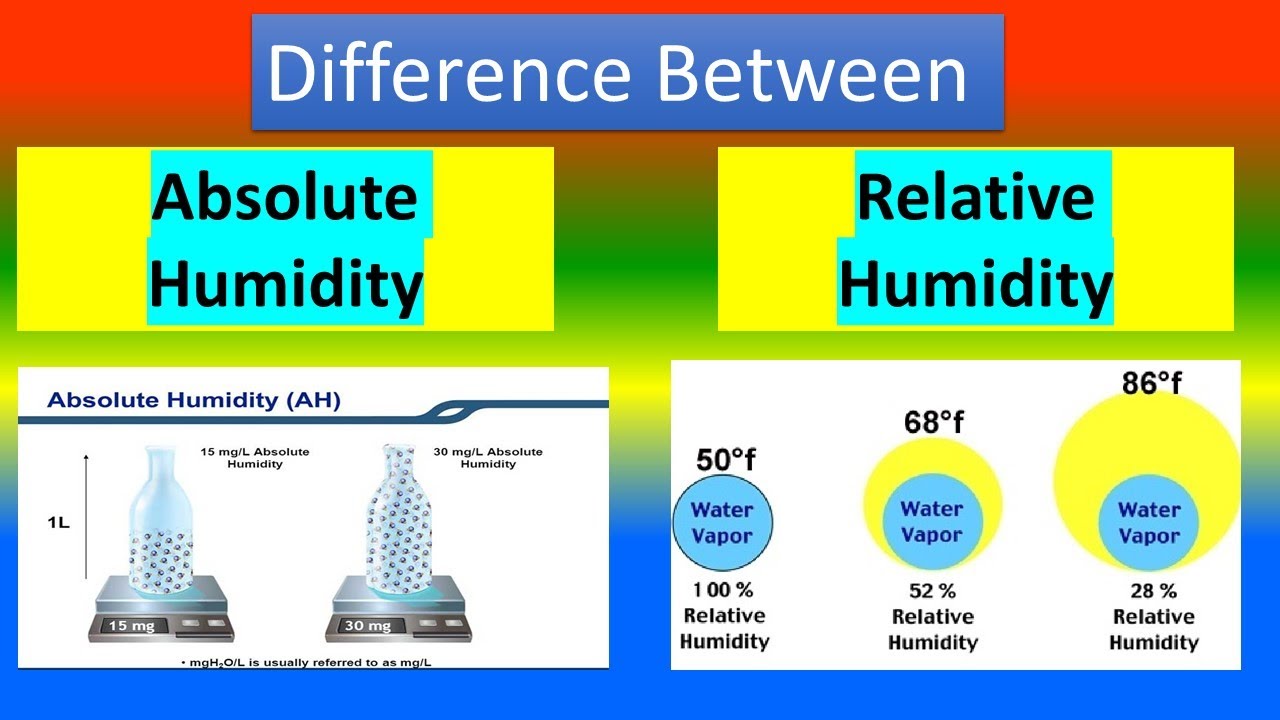
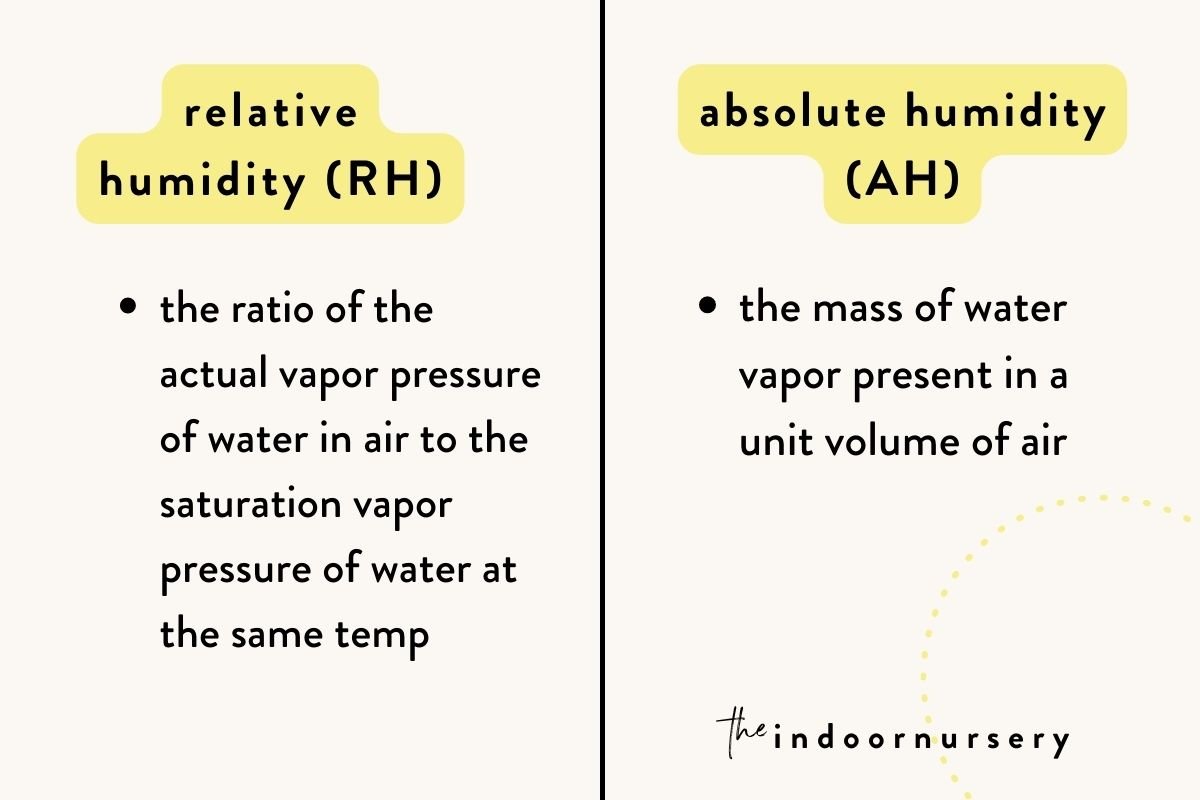
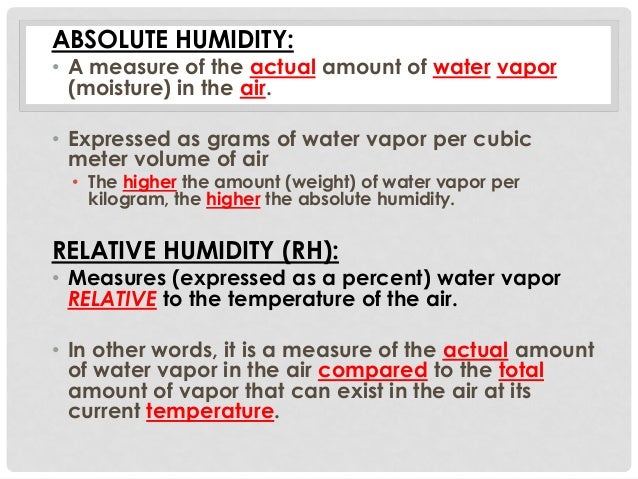
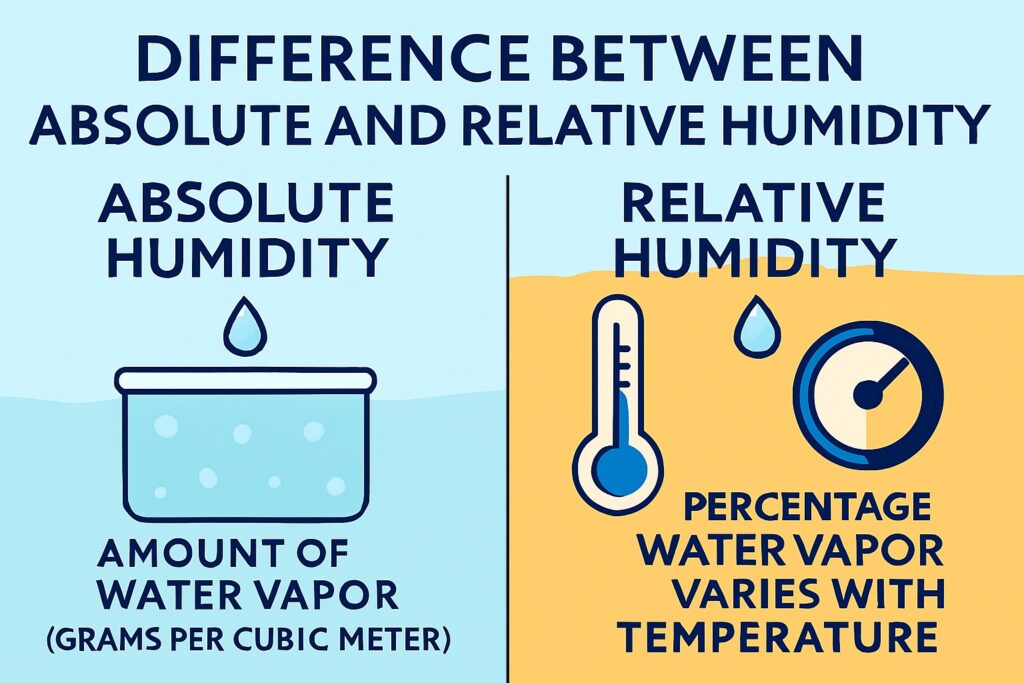
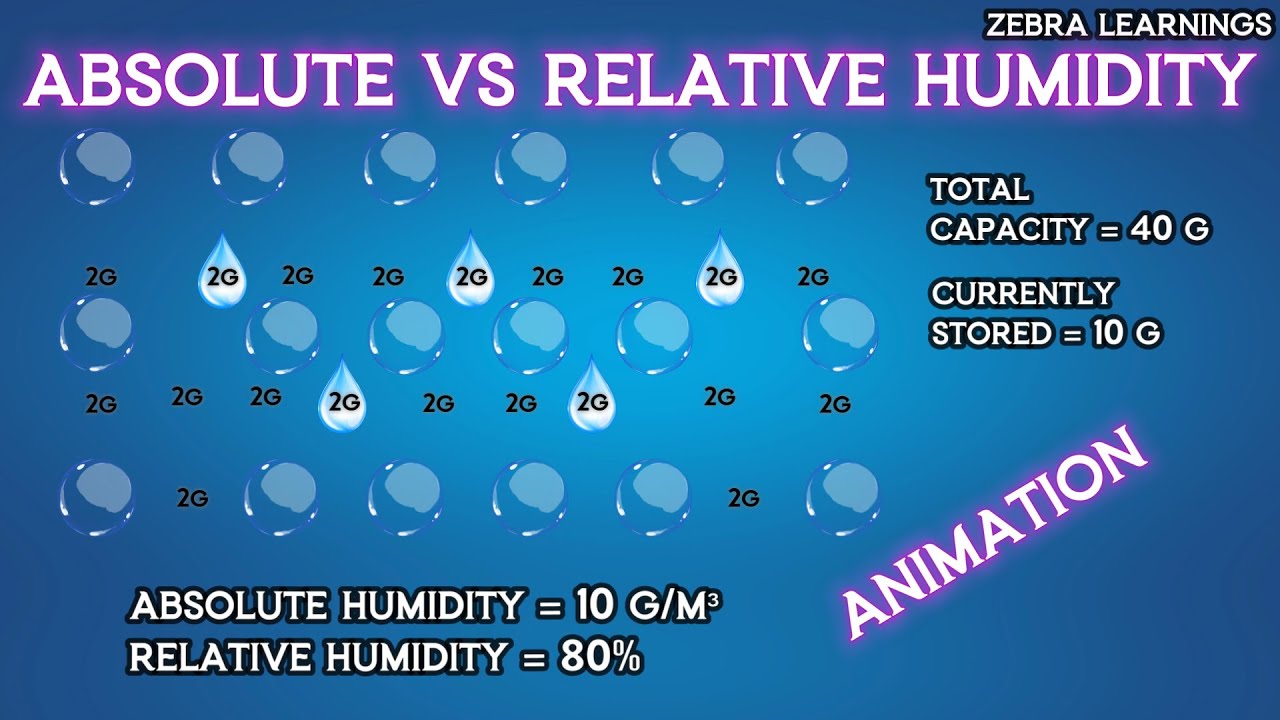
Absolute humidity refers to the actual amount of water vapor present in the air, usually measured in grams of water per cubic meter of air (g/m³). Think of it as the raw quantity of water floating around. Absolute humidity changes as moisture is added or removed from the air, for example, by boiling water or using a dehumidifier.
Relative Humidity: Humidity Relative to Temperature
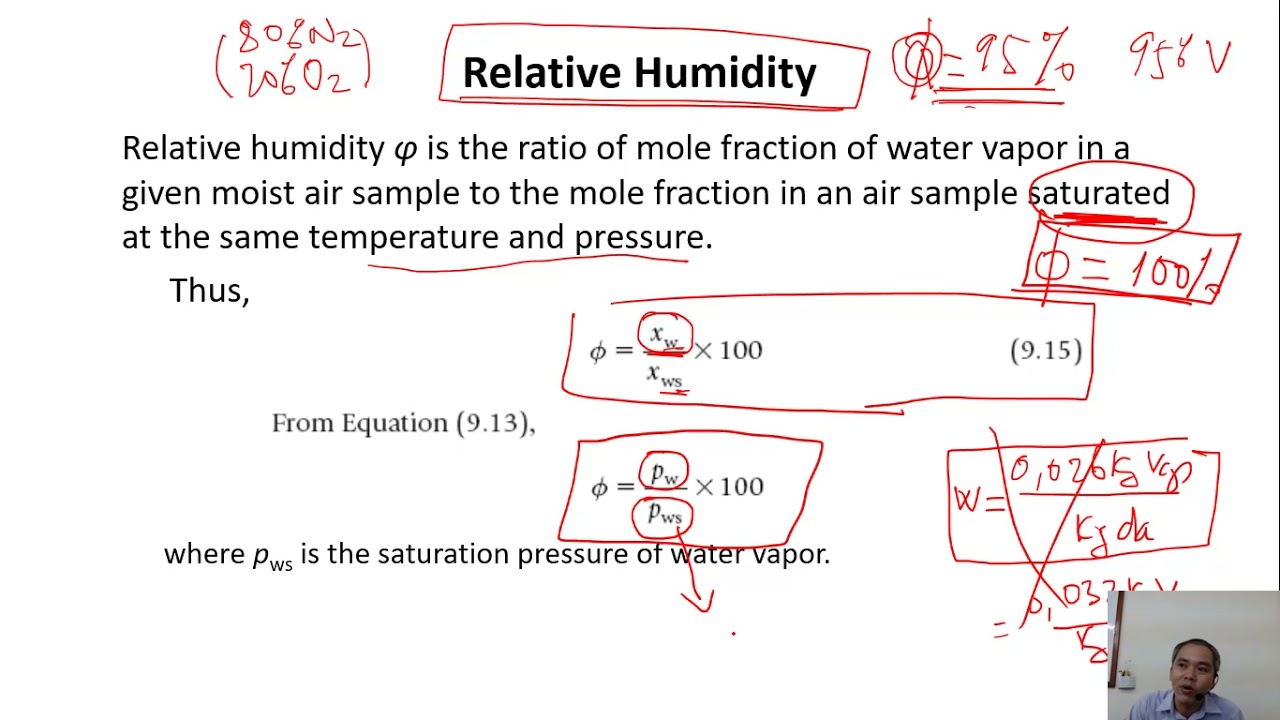
Relative humidity, on the other hand, is a percentage. It represents the amount of water vapor present in the air expressed as a percentage of the amount needed for saturation at the same temperature. In other words, it tells you how close the air is to being completely saturated with moisture. When the air is saturated (100% relative humidity), condensation occurs (like dew forming on grass). The key point here is that relative humidity is heavily influenced by temperature. Warmer air can hold more moisture than cooler air. So, even if the absolute humidity stays the same, the relative humidity can change drastically with temperature fluctuations.
For example, imagine a glass of warm water and a glass of cold water sitting side by side. The warm water can "hold" more dissolved sugar than the cold water. Similarly, warm air can "hold" more water vapor than cold air. Relative humidity tells us how "full" each glass is.
Troubleshooting a Malfunctioning Dehumidifier: A Step-by-Step Guide
Let's say your dehumidifier isn't effectively reducing the humidity in your room. Here's a practical troubleshooting guide to help you diagnose and potentially fix the issue. *Always disconnect the appliance from the power outlet before performing any maintenance or repairs.*
Step 1: Preliminary Checks - Power and Placement
- Check the Power Supply: Is the dehumidifier properly plugged into a working outlet? Test the outlet with another device, like a lamp, to confirm it's functioning. Try a different outlet to rule out outlet failure.
- Inspect the Power Cord: Look for any signs of damage to the power cord, such as cuts, fraying, or exposed wires. If the power cord is damaged, do NOT attempt to repair it yourself. Contact a qualified electrician to replace it.
- Ensure Proper Placement: Is the dehumidifier placed in a location where air can circulate freely around it? Avoid placing it in corners or behind furniture, as this can restrict airflow and reduce its efficiency. Make sure the area around the dehumidifier is clear.
- Check the Room Size: Is the dehumidifier appropriately sized for the room it's in? A small dehumidifier might struggle to effectively dehumidify a large space. Refer to the dehumidifier's specifications to determine the recommended room size.
Step 2: Examining the Settings and Controls
- Verify the Settings: Is the dehumidifier set to the desired humidity level? Most dehumidifiers have an adjustable humidistat. Ensure it's set to a lower humidity level than the current humidity in the room. A common mistake is setting it too high.
- Check the Mode: Some dehumidifiers have different operating modes, such as "continuous," "auto," or "fan only." Make sure it's set to the appropriate mode for dehumidifying. "Fan only" will circulate air, but won't remove moisture.
- Clean the Air Filter: A dirty air filter can restrict airflow and reduce the dehumidifier's efficiency. Remove the air filter and clean it thoroughly with a vacuum cleaner or wash it with mild soap and water. Allow the filter to dry completely before reinstalling it. Consult your owner’s manual for specific cleaning instructions.
Step 3: Inspecting the Water Tank and Drainage System
- Check the Water Tank: Is the water tank full? Most dehumidifiers have an automatic shut-off feature that prevents them from operating when the tank is full. Empty the water tank regularly.
- Inspect the Drainage Hose (if applicable): If you're using a drainage hose to continuously drain the dehumidifier, make sure the hose is not kinked or blocked. Ensure the hose is properly connected to the dehumidifier and that the other end is positioned to drain into a suitable location (e.g., a drain or a sink). Check that the draining location is lower than the dehumidifier outlet.
- Clean the Water Tank and Reservoir: Over time, mold and mildew can grow in the water tank and reservoir. Clean them regularly with a mixture of water and vinegar or a mild bleach solution (always diluted and used with caution!). Rinse thoroughly before reassembling.
Step 4: Identifying Common Problems and Potential DIY Fixes
- Frost Buildup on Coils: If you notice frost building up on the dehumidifier's coils, it could indicate a problem with the refrigerant system or a malfunctioning defrost sensor.
- Possible Cause: Low room temperature. Dehumidifiers aren't designed to operate effectively in very cold environments.
- DIY Fix: Try moving the dehumidifier to a warmer location or increasing the room temperature.
- When to Call a Professional: If the frost buildup persists even in warmer temperatures, the problem likely involves the refrigerant system or a faulty defrost sensor, requiring professional repair. *Refrigerant handling requires specialized equipment and expertise and should NEVER be attempted by homeowners.*
- Unusual Noises: Grinding, rattling, or squealing noises could indicate a problem with the fan motor or other internal components.
- Possible Cause: Loose components.
- DIY Fix: (With the unit unplugged!) Carefully inspect the unit for any loose screws or panels. Tighten them as needed. If the noise persists, you can try using a silicone spray lubricant on the fan motor shaft.
- When to Call a Professional: If the noise is loud or persistent, or if you suspect a problem with the fan motor or other internal components, it's best to call a qualified appliance repair technician. *Opening the dehumidifier’s sealed system can be dangerous.*
- Dehumidifier Running Constantly: If the dehumidifier runs constantly without reaching the desired humidity level, it could indicate several problems.
- Possible Cause: Air leaks in the room.
- DIY Fix: Check for air leaks around windows, doors, and vents. Seal any leaks with caulk or weather stripping.
- Possible Cause: Overly humid environment.
- DIY Fix: Identify sources of moisture, such as leaky pipes or damp basements, and address them. Consider using exhaust fans in bathrooms and kitchens to remove excess moisture.
- When to Call a Professional: If the dehumidifier continues to run constantly despite addressing air leaks and moisture sources, the problem may be internal, requiring professional diagnosis and repair.
When to Call a Professional
While some dehumidifier problems can be easily resolved with basic DIY fixes, others require the expertise of a qualified appliance repair technician. Here are some situations where professional help is necessary:
- Refrigerant Leaks: If you suspect a refrigerant leak (e.g., hissing sound, oily residue), do NOT attempt to repair it yourself. Refrigerant handling requires specialized equipment and expertise and is regulated by law.
- Electrical Problems: If you suspect an electrical problem (e.g., sparks, burning smell), immediately disconnect the dehumidifier from the power outlet and call a qualified electrician.
- Complex Internal Repairs: If the problem involves complex internal components, such as the compressor, fan motor, or control board, it's best to leave the repair to a professional.
- Warranty Coverage: If your dehumidifier is still under warranty, contact the manufacturer or an authorized service center for repair. Attempting to repair the unit yourself may void the warranty.
Troubleshooting a Malfunctioning Humidifier: A Step-by-Step Guide
Similar to dehumidifiers, humidifiers can also malfunction. Here’s a troubleshooting guide.
Step 1: Preliminary Checks
- Power Supply: Ensure the humidifier is plugged into a working outlet and the power cord is in good condition.
- Water Level: Is the water tank full enough? Some humidifiers won't operate if the water level is too low.
- Filter/Wick Condition: Check the filter or wick (depending on the type of humidifier). A dirty or clogged filter can significantly reduce its effectiveness. Replace or clean the filter according to the manufacturer's instructions.
- Room Size: Is the humidifier appropriately sized for the room?
Step 2: Examining Settings and Operation
- Humidity Setting: Is the humidity level set correctly? If the air is already quite humid, the humidifier may not be working as hard.
- Mineral Buildup: Mineral deposits from hard water can clog the humidifier and reduce its performance. Clean the unit regularly with vinegar and water solution, following the manufacturer's instructions. Distilled water is preferred to avoid these issues.
- Proper Operation: Ensure the humidifier is operating according to its design. For example, with evaporative humidifiers, you should see the filter/wick moistening. With ultrasonic humidifiers, you should see a fine mist being emitted.
Step 3: Specific Humidifier Types
- Evaporative Humidifiers: Ensure the wick is properly saturated. Sometimes, a new wick needs to be soaked thoroughly before first use.
- Ultrasonic Humidifiers: Check the transducer (the vibrating plate that creates the mist). Mineral buildup here can prevent proper misting. Gently clean it with a soft brush and vinegar solution.
- Steam Humidifiers: These can develop significant mineral buildup. Follow the manufacturer's instructions for descaling. *Be very careful when handling steam humidifiers, as the steam can cause burns.*
When to Call a Professional
Like dehumidifiers, certain issues with humidifiers necessitate professional assistance:
- Electrical Problems: Any signs of electrical malfunction warrant immediate attention from a qualified electrician.
- Fan Motor Issues: If the fan is not working correctly in an evaporative humidifier, it may require professional repair or replacement.
- Complex Repairs: Any repairs involving internal components beyond simple cleaning and filter replacement should be left to professionals.
Back to Humidity: Applying Your New Knowledge
Now that you've gained a better understanding of absolute and relative humidity and some troubleshooting tips for dehumidifiers and humidifiers, let's circle back to our initial scenario. Imagine your dehumidifier is running constantly, but the air still feels sticky. Using our knowledge:
- Consider Temperature: Is the room unusually warm? If so, the relative humidity might be high even if the absolute humidity hasn't changed significantly. This means the air can hold more moisture.
- Check for Moisture Sources: Are there any new sources of moisture in the room, like a leaky pipe or damp clothes drying indoors? These would increase the absolute humidity.
- Assess the Dehumidifier's Performance: Is the dehumidifier actually removing water? Check the water tank. If it's empty after running for a long time, it might indicate a problem with the dehumidifier itself. Use the steps above to troubleshoot.
By understanding the difference between absolute and relative humidity, you can make more informed decisions about how to address humidity problems in your home and determine whether you can fix the issue yourself or need to call a professional.
Safety First!
Remember, safety is paramount when working with any electrical appliance. Always disconnect the power before performing any maintenance or repairs. If you're unsure about any step, or if you encounter any potentially dangerous situations, don't hesitate to call a qualified professional.