Emerson Ac Thermostat How To Use

Emerson Thermostat: Your Guide to Comfort Control
Emerson thermostats, known for their reliability and user-friendly interfaces, are a popular choice for homeowners looking to upgrade their HVAC control. This comprehensive guide will explore the features, functionality, and operation of Emerson thermostats, helping you determine if one is the right fit for your needs. We'll delve into how to use common models, understand their settings, and troubleshoot basic issues, ensuring you can maximize your comfort and energy savings.
Understanding Emerson Thermostat Models
Emerson offers a range of thermostats, from basic mechanical models to advanced smart thermostats. Some common series include:
- Sensi Touch Smart Thermostat: A popular smart thermostat offering remote control, scheduling, and energy monitoring.
- Sensi Smart Thermostat: A more affordable smart option with similar features to the Sensi Touch, but with a different interface.
- White-Rodgers Non-Programmable Thermostats: Simple and reliable options for basic temperature control.
- White-Rodgers Programmable Thermostats: Allow for time-based temperature scheduling for energy savings.
Each model has its specific features and operating instructions. This guide will cover the general principles applicable to most Emerson thermostats, with specific examples from the Sensi line for advanced features.
Basic Operation: Setting the Temperature
Regardless of the model, the core function of any thermostat is to set the desired temperature. Here's how to do it on a typical Emerson thermostat:
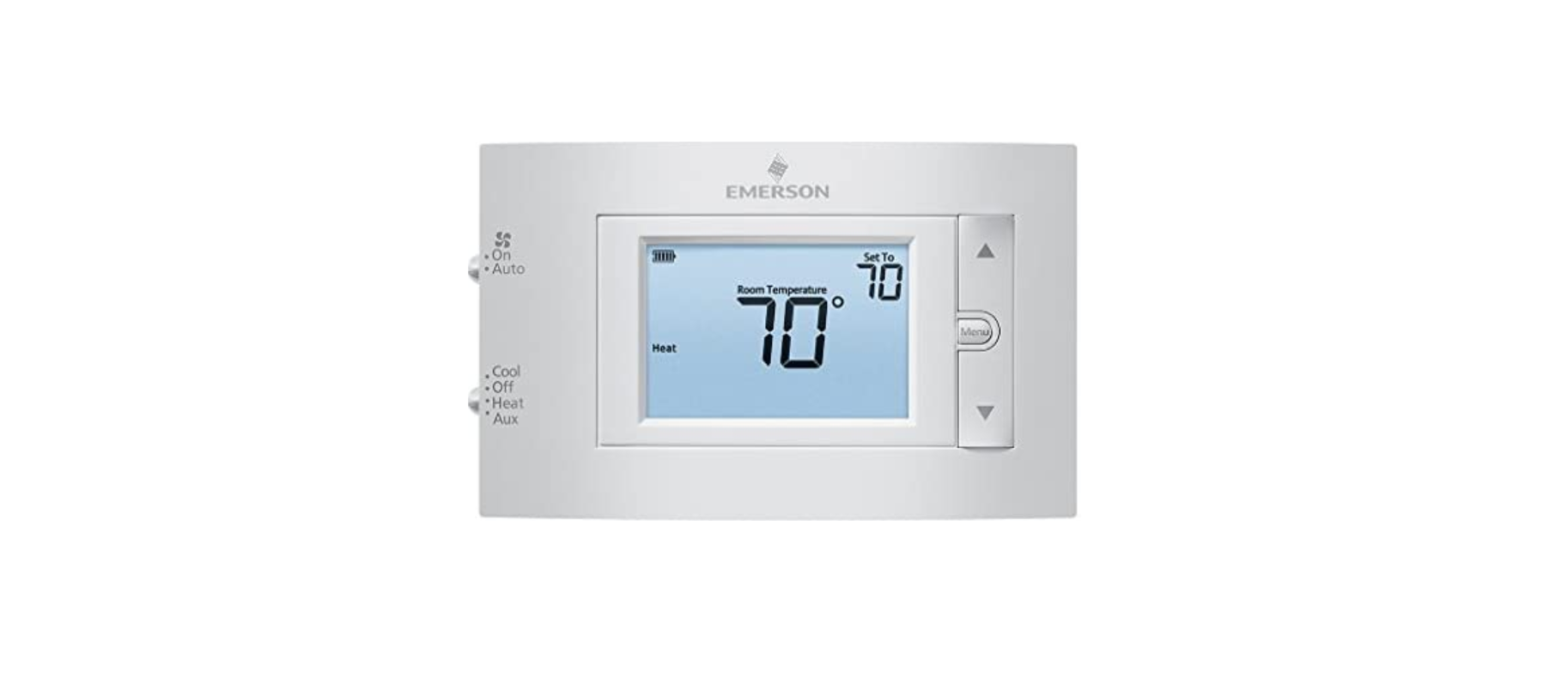
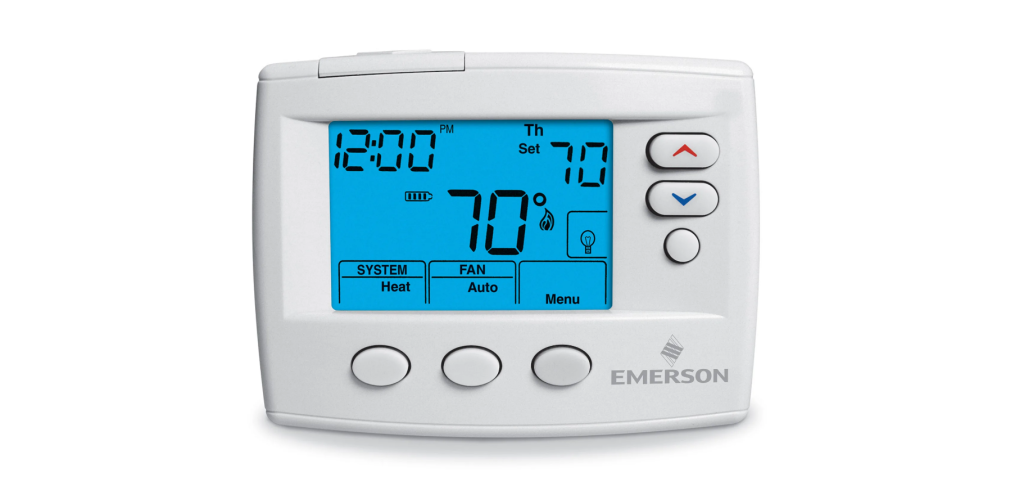
- Power On: Ensure the thermostat is powered on. Most models will have a small display indicating the current temperature and settings.
- Mode Selection: Choose the appropriate mode:
- Heat: For heating your home.
- Cool: For air conditioning.
- Auto: Allows the thermostat to automatically switch between heating and cooling based on the set temperatures.
- Off: Turns the system off.
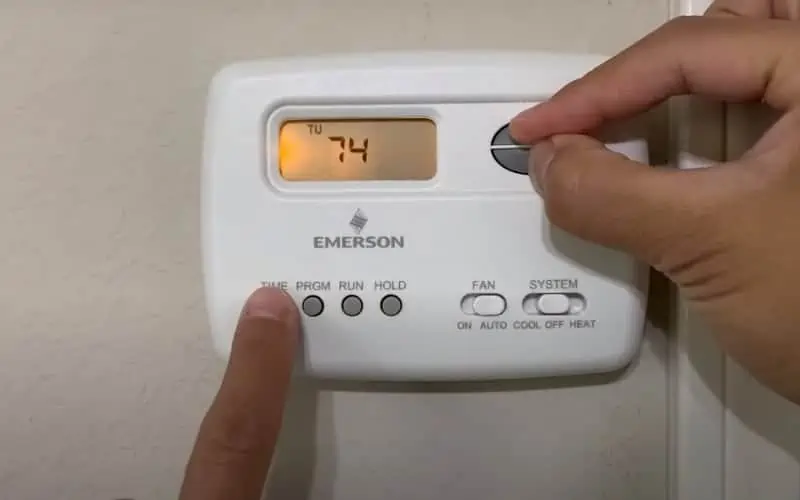
- Temperature Adjustment: Use the up and down arrows (or a dial on older models) to set the desired temperature. The display will show the target temperature.
- Fan Settings: Select the fan setting:
- Auto: The fan runs only when the heating or cooling system is active.
- On: The fan runs continuously, circulating air even when the system isn't heating or cooling. This can improve air circulation and filtration but will increase energy consumption.
Tip: For optimal energy savings, set the temperature a few degrees lower in winter and a few degrees higher in summer when you're away from home or asleep.
Programming Your Emerson Thermostat (Programmable Models)
Programmable thermostats allow you to create a schedule that adjusts the temperature automatically throughout the day. This can significantly reduce energy consumption and save money.
Here's a general guide to programming an Emerson programmable thermostat. Refer to your specific model's manual for detailed instructions.
- Enter Programming Mode: Press the "Program" or "Set" button. The display will indicate that you are in programming mode.
- Select Day(s): Choose the day(s) you want to program (e.g., Monday-Friday, Saturday-Sunday, or individual days).
- Set Time Periods: Most programmable thermostats offer multiple time periods per day (e.g., Wake, Leave, Return, Sleep). For each time period:
- Set the Time: Use the up and down arrows to set the start time for the period.
- Set the Temperature: Use the up and down arrows to set the desired temperature for the period.
- Repeat for All Days/Periods: Repeat steps 2 and 3 for all the days and time periods you want to program.
- Exit Programming Mode: Press the "Run" or "Exit" button to return to the normal operating mode.
Example Schedule:
- Wake (6:00 AM): 70°F (heating) / 72°F (cooling)
- Leave (8:00 AM): 62°F (heating) / 78°F (cooling)
- Return (5:00 PM): 70°F (heating) / 72°F (cooling)
- Sleep (10:00 PM): 62°F (heating) / 78°F (cooling)
Using the Sensi Smart Thermostat
The Sensi Smart Thermostat offers advanced features accessible through the Sensi app. Here's how to get started:
- Download the Sensi App: Available for iOS and Android.
- Create an Account: Follow the app's instructions to create an account.
- Connect to Wi-Fi: The app will guide you through connecting the thermostat to your home Wi-Fi network.
- Control from Anywhere: Once connected, you can control the thermostat remotely, adjust the temperature, set schedules, and monitor energy usage.
Sensi App Features:
- Remote Access: Control your thermostat from anywhere with an internet connection.
- Scheduling: Create and manage custom schedules.
- Energy Reporting: Track your energy usage to identify potential savings.
- Geofencing: Automatically adjust the temperature based on your location.
- Smart Home Integration: Compatible with Amazon Alexa, Google Assistant, and Apple HomeKit.
Troubleshooting Common Issues
Here are some common issues you might encounter with an Emerson thermostat and how to resolve them:
- Thermostat Not Turning On:
- Check the Power: Ensure the thermostat has power. Check the circuit breaker and replace batteries if necessary.
- Wiring Issues: Inspect the wiring connections. Loose or damaged wires can prevent the thermostat from working properly. If unsure, consult a qualified HVAC technician.
- System Not Responding:
- Mode Selection: Verify that the thermostat is set to the correct mode (Heat or Cool).
- Temperature Setting: Ensure the set temperature is higher than the current temperature (for heating) or lower (for cooling).
- Wiring Issues: As above, wiring problems can also prevent the system from responding.
- Inaccurate Temperature Reading:
- Thermostat Location: Ensure the thermostat is not located in direct sunlight, near a heat source, or in a drafty area. These factors can affect the accuracy of the temperature reading.
- Calibration: Some thermostats allow you to calibrate the temperature reading. Refer to your model's manual for instructions.
- Sensi App Connectivity Issues:
- Wi-Fi Connection: Verify that your Wi-Fi network is working properly and that the thermostat is connected to it.
- App Update: Ensure you have the latest version of the Sensi app installed.
- Factory Reset: If all else fails, try resetting the thermostat to its factory settings and reconnecting it to Wi-Fi.
When to Call a Professional: If you are unable to resolve the issue yourself, or if you suspect a more serious problem, contact a qualified HVAC technician for assistance.
Comparing Emerson to Other Brands
Emerson (specifically the Sensi line) competes with other popular smart thermostat brands like Nest, Ecobee, and Honeywell. Here's a brief comparison:
- Nest: Known for its sleek design and learning capabilities, Nest thermostats learn your preferences over time and automatically adjust the temperature. However, they can be more expensive than Emerson thermostats.
- Ecobee: Ecobee thermostats offer room sensors that can help you balance the temperature throughout your home. They also tend to be slightly more expensive than the Sensi.
- Honeywell: Honeywell offers a wide range of thermostats, from basic models to advanced smart thermostats. Their thermostats are generally reliable and competitively priced.
AFUE, SEER, and HSPF Ratings: While thermostats themselves don't have AFUE, SEER, or HSPF ratings (these apply to the heating and cooling systems they control), choosing a smart thermostat like the Sensi can help you optimize your HVAC system's performance and potentially improve its energy efficiency, leading to lower energy bills. For example, if you set a schedule that maximizes energy savings during times that nobody is home, your system will operate more efficiently and save money on heating and cooling bills.
Warranty and Maintenance
Emerson thermostats typically come with a limited warranty. Refer to the product documentation for specific warranty details. Regular maintenance, such as cleaning the thermostat and replacing batteries, can help ensure its longevity and performance.
Conclusion
Emerson thermostats offer a range of options for controlling your home's heating and cooling system. From basic programmable models to advanced smart thermostats like the Sensi, there's an Emerson thermostat to suit your needs and budget. By understanding the features, functionality, and troubleshooting tips outlined in this guide, you can confidently use your Emerson thermostat to maximize your comfort and energy savings.