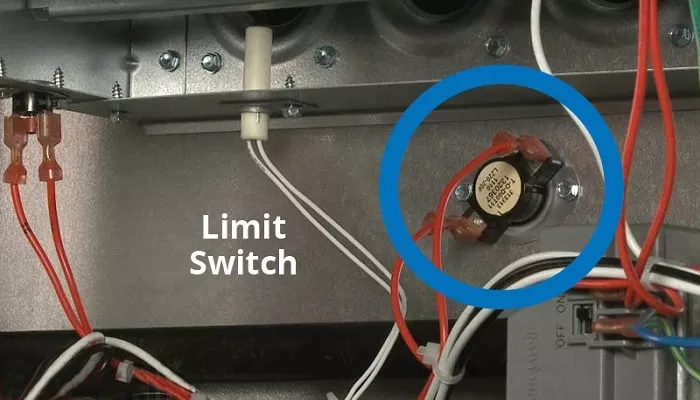
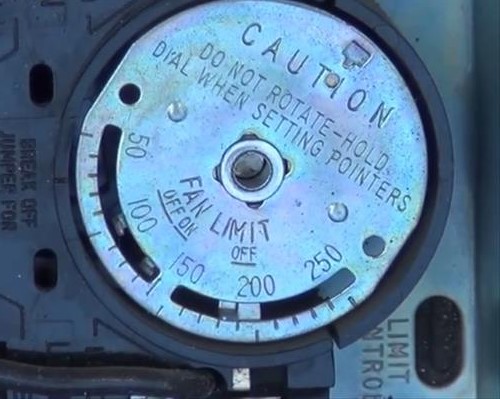
Furnace Fan Control Switch
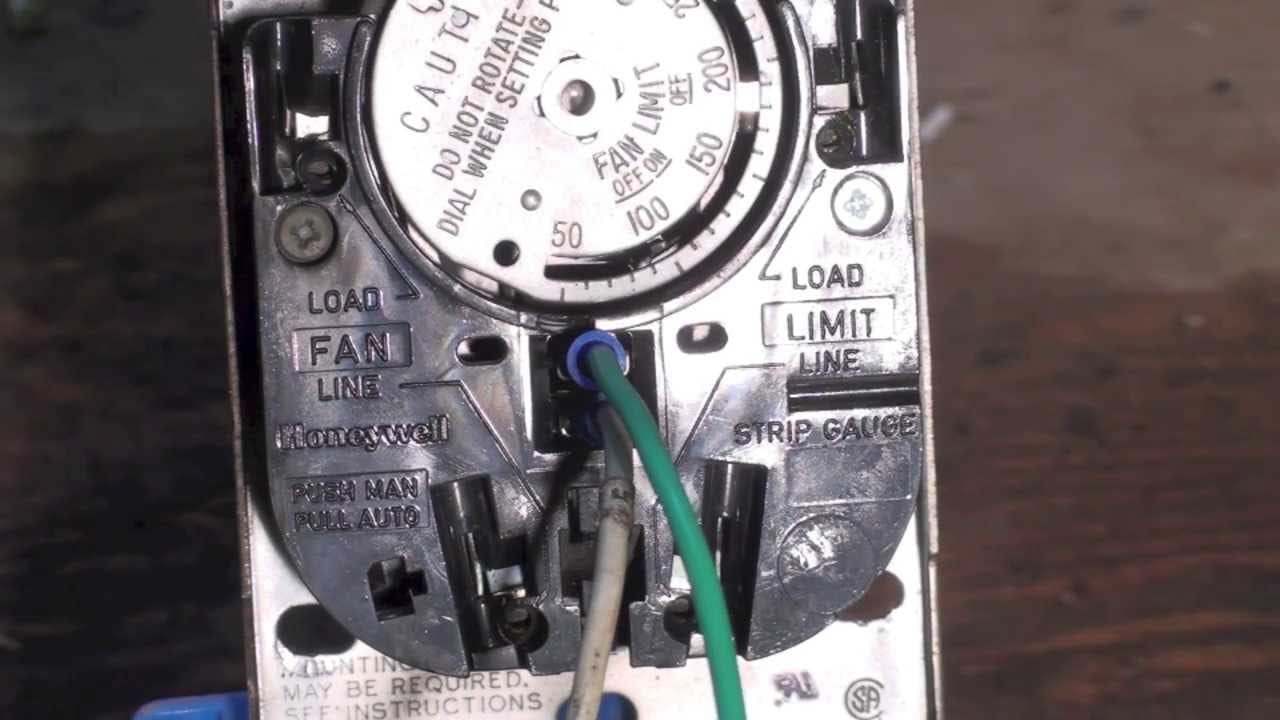
Understanding Your Furnace Fan Control Switch: A Comprehensive Guide
The furnace fan control switch, though seemingly simple, plays a critical role in the operation and efficiency of your heating and cooling system. It dictates when the blower fan, the workhorse of your HVAC unit, turns on and off. Understanding its function and settings can help homeowners, technicians, and facility managers optimize comfort, energy consumption, and the lifespan of their equipment.
What is the Furnace Fan Control Switch?
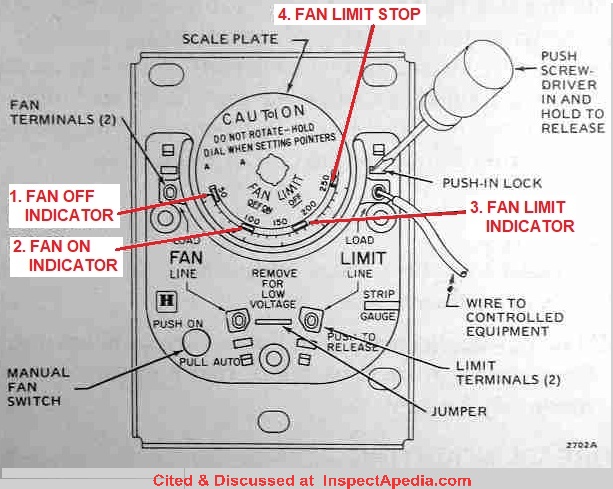
At its core, the furnace fan control switch (often found on the thermostat or the furnace control board) offers different operating modes for the blower fan. These modes typically include "Auto," "On," and sometimes "Circ." Each setting impacts how the fan interacts with the heating and cooling cycles.
- Auto: In "Auto" mode, the fan only runs when the furnace is actively heating or the air conditioner is actively cooling. This is generally considered the most energy-efficient setting. The furnace's internal controls, typically a temperature sensor or electronic timer, signal the fan to start a short time after the burner ignites (in heating mode) or the compressor starts (in cooling mode). It also shuts off the fan after the heating or cooling cycle is complete.
- On: The "On" setting forces the blower fan to run continuously, regardless of whether the furnace or air conditioner is actively heating or cooling. This can provide more consistent temperature distribution throughout the building and improve air filtration, but it also consumes more energy.
- Circ (Circulate): Some thermostats or furnace control boards feature a "Circ" setting. This mode cycles the fan on and off periodically, even when neither heating nor cooling is required. The cycle time can vary, but it's often set to run the fan for a certain number of minutes per hour (e.g., 20 minutes on, 40 minutes off). This setting offers a compromise between energy savings and air circulation.
How the Fan Control Switch Impacts System Performance
The chosen fan control setting significantly affects several aspects of your HVAC system's performance:
Energy Consumption:
The "Auto" setting is generally the most energy-efficient because the fan only operates when actively needed. The "On" setting consumes the most energy, as the fan runs continuously. The "Circ" setting falls somewhere in between. The actual difference in energy consumption depends on the fan motor's wattage, the climate, and the building's insulation.
Example: A furnace fan with a 300-watt motor, running 24/7 on the "On" setting, consumes 7.2 kilowatt-hours (kWh) per day, or roughly 216 kWh per month. This can add significantly to your electricity bill. In contrast, the "Auto" setting, running only during heating and cooling cycles, could reduce fan operation to just a few hours per day.
Temperature Consistency:
The "On" setting ensures continuous air circulation, which can help to eliminate hot and cold spots within a building. This is particularly beneficial in buildings with poor insulation or complex layouts. The "Auto" setting might result in temperature variations, especially in rooms far from the furnace or air conditioner. The "Circ" setting can help balance energy consumption with temperature consistency.
Air Filtration:
Continuous fan operation ("On" setting) means air is constantly being filtered, which can improve indoor air quality by removing dust, pollen, and other airborne particles. The "Auto" setting only filters air during heating and cooling cycles, limiting the effectiveness of air filtration. The "Circ" setting provides more frequent filtration than "Auto" but less than "On."
Equipment Lifespan:
While continuous fan operation can improve temperature consistency and air filtration, it can also shorten the lifespan of the fan motor due to increased wear and tear. Choosing the "Auto" setting can help prolong the fan motor's lifespan. Regular maintenance, such as cleaning and lubrication, is crucial for all settings to ensure optimal fan performance and longevity.
Humidity Control:
In humid climates, running the fan continuously after the air conditioner shuts off can actually reduce dehumidification. When the air conditioner is running, it removes moisture from the air. When the air conditioner stops, the cold evaporator coil inside the air handler (where the blower fan is located) still has moisture on it. If the fan continues to run, this moisture can be re-evaporated back into the air. This is especially true for systems without a dehumidification function. In these cases, using the "Auto" mode can improve dehumidification.
Troubleshooting Common Fan Control Switch Issues
Several issues can arise with the furnace fan control switch or the blower fan itself. Here are some common problems and potential solutions:
- Fan not turning on in "Auto" mode: This could be due to a faulty temperature sensor, a malfunctioning control board, or a wiring problem. Check the sensor and control board for any visible damage or loose connections. Use a multimeter to test the sensor's resistance and the control board's output voltage. A qualified HVAC technician should perform more in-depth diagnostics.
- Fan running continuously in "Auto" mode: This could indicate a stuck relay on the control board, a faulty temperature sensor, or a wiring problem. A common cause is a dirty flame sensor which prevents the furnace from completing its heating cycle, causing the fan to run continuously as a safety measure. Inspect the flame sensor and clean it if necessary.
- Fan not turning off in "On" mode: If the fan continues to run even when the thermostat is set to "Off," there may be a problem with the thermostat wiring or a short circuit in the fan motor. Disconnect the thermostat wires from the furnace control board to see if that stops the fan. If so, the issue is with the thermostat or the wiring to the thermostat.
- Noisy fan operation: Excessive noise from the blower fan can indicate worn-out bearings, a loose fan blade, or debris in the blower housing. Inspect the fan blades for damage and clean the blower housing. Lubricate the motor bearings if possible. If the noise persists, the fan motor may need to be replaced.
Choosing the Right Setting for Your Needs
The optimal fan control setting depends on your individual needs and priorities. Consider the following factors:
- Energy Efficiency: If energy savings are your primary concern, the "Auto" setting is the best choice.
- Comfort and Temperature Consistency: If you prioritize consistent temperatures throughout your building, the "On" setting might be preferable, despite the higher energy consumption. The "Circ" setting offers a compromise.
- Air Quality: If you have concerns about indoor air quality, the "On" setting will provide the most continuous air filtration. Consider also using a high-efficiency particulate air (HEPA) filter in conjunction with the continuous fan operation to maximize air purification.
- Climate: In humid climates, the "Auto" setting is generally recommended to prevent moisture re-evaporation and maximize dehumidification.
- Building Type: Larger buildings with complex layouts may benefit from the "On" or "Circ" setting to ensure adequate air circulation.
The Role of Programmable Thermostats
Programmable thermostats offer advanced control over your HVAC system, including the fan settings. Many programmable thermostats allow you to schedule different fan modes for different times of the day. For example, you could set the fan to "Auto" during the day when you're away from home and to "On" in the evening when you're relaxing and want consistent temperatures. Some thermostats also offer smart features that learn your habits and automatically adjust the fan settings to optimize comfort and energy efficiency.
Cost Considerations
The cost of operating the blower fan varies depending on the fan motor's wattage and the electricity rate. A typical furnace fan motor consumes between 300 and 600 watts. Running a 400-watt fan continuously for 24 hours a day at an electricity rate of $0.15 per kilowatt-hour (kWh) would cost approximately $1.44 per day, or $43.20 per month. Using the "Auto" setting and reducing fan operation to just a few hours per day can save a significant amount of money.
Maintenance Tips for Optimal Performance
Regular maintenance is crucial for ensuring optimal performance and prolonging the lifespan of your furnace fan. Here are some essential maintenance tips:
- Clean the air filter regularly: A dirty air filter restricts airflow, which can cause the fan motor to overheat and fail. Replace the air filter every one to three months, depending on the filter type and the level of dust and pollen in your environment.
- Inspect the fan blades: Check the fan blades for any damage or debris. Clean the blades with a soft brush or vacuum cleaner.
- Lubricate the motor bearings: Some fan motors have lubrication ports. Apply a few drops of electric motor oil to the bearings every year.
- Inspect the wiring: Check the wiring connections for any loose or corroded wires. Tighten any loose connections and replace any damaged wires.
- Schedule professional maintenance: Have your HVAC system professionally inspected and maintained at least once a year. A qualified HVAC technician can identify potential problems and perform necessary repairs to ensure optimal performance and efficiency.
Conclusion
The furnace fan control switch is a key component of your HVAC system, affecting energy consumption, temperature consistency, air quality, and equipment lifespan. By understanding the different fan modes and their implications, homeowners, technicians, and facility managers can make informed decisions to optimize comfort, efficiency, and the long-term performance of their heating and cooling systems. Regularly inspecting and maintaining your HVAC system, including the fan motor and control switch, will help ensure reliable and efficient operation for years to come. When in doubt, always consult with a qualified HVAC professional for assistance.