Heat Pumps For Hot Water Heating Systems
Imagine this: you step into the shower, expecting a cascade of warm water, only to be greeted by an icy blast. Your hot water heater has failed. While traditional tank-style water heaters are common culprits, heat pump water heaters (HPWHs) are gaining popularity for their energy efficiency. When they falter, troubleshooting the issue yourself can save time and money. This guide will provide you with a systematic approach to diagnosing and resolving common problems, while emphasizing safety and knowing when to call a professional.
Understanding Your Heat Pump Water Heater
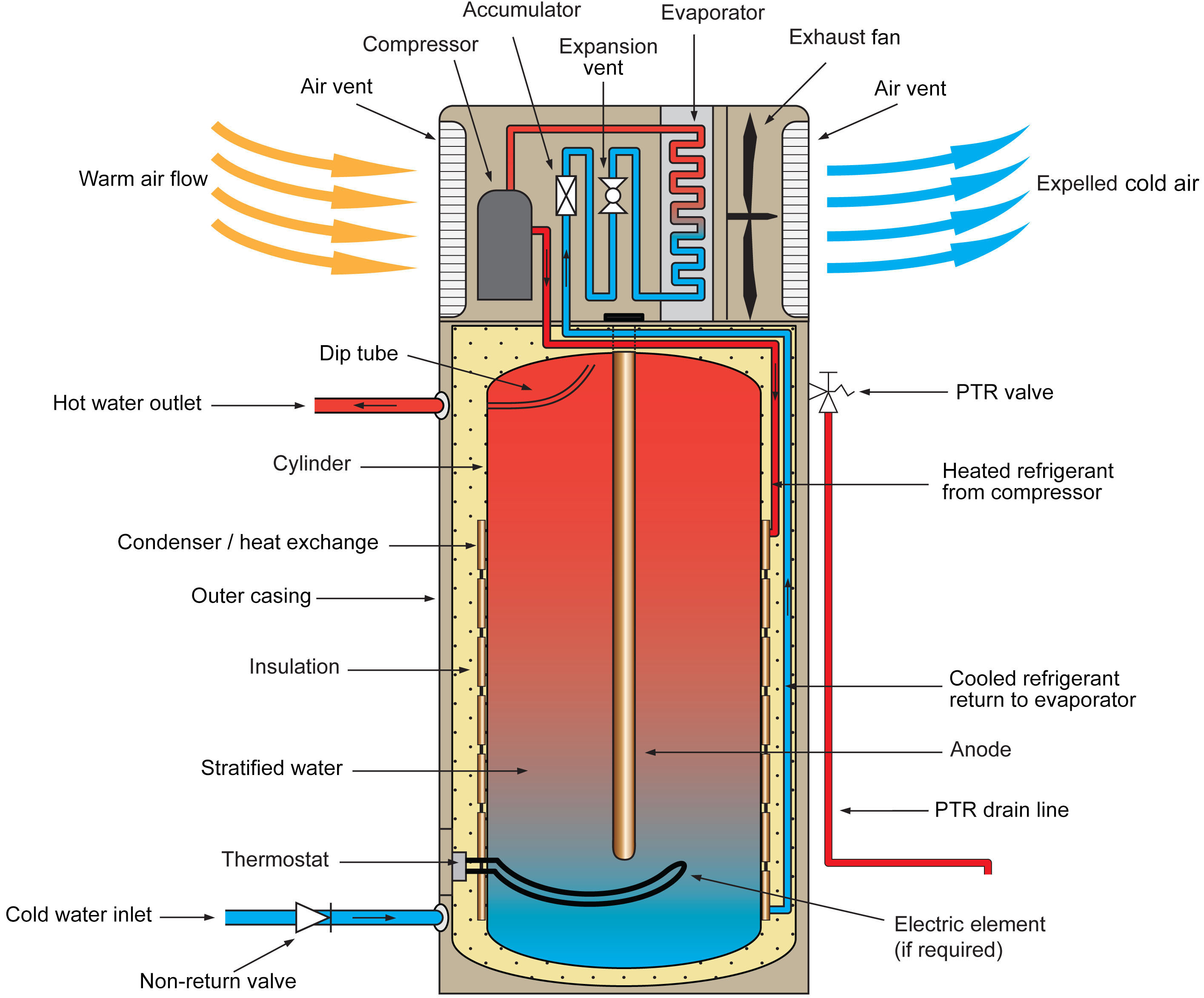
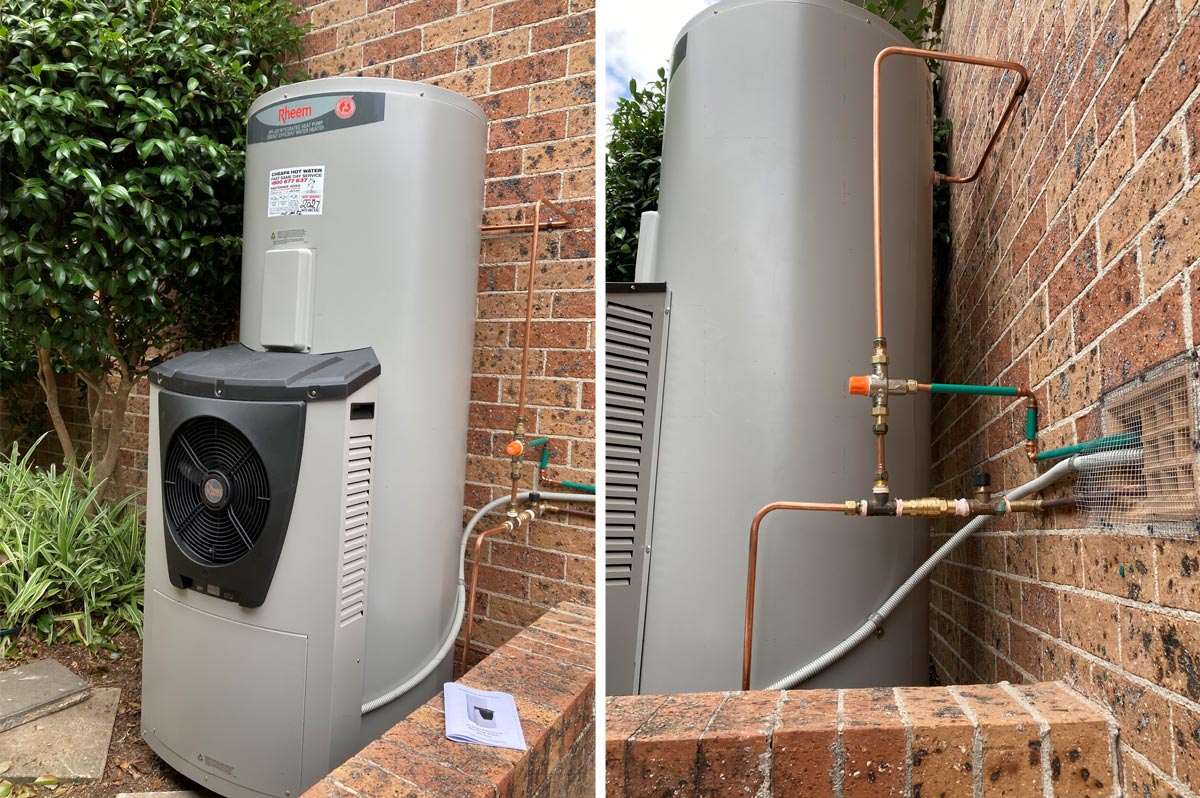
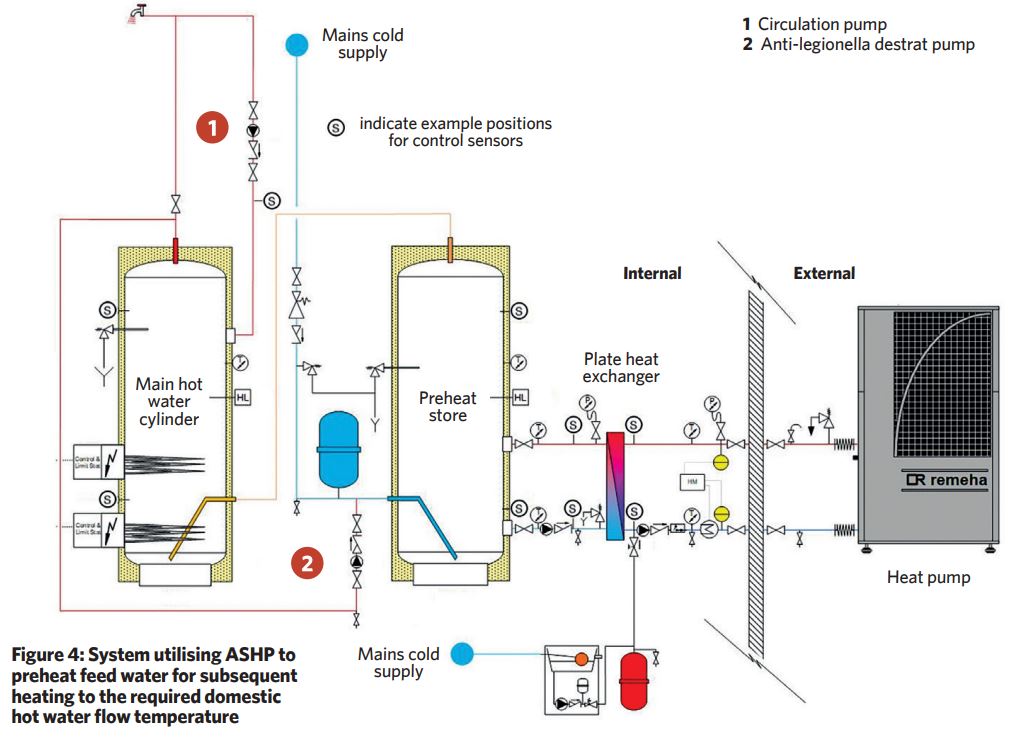
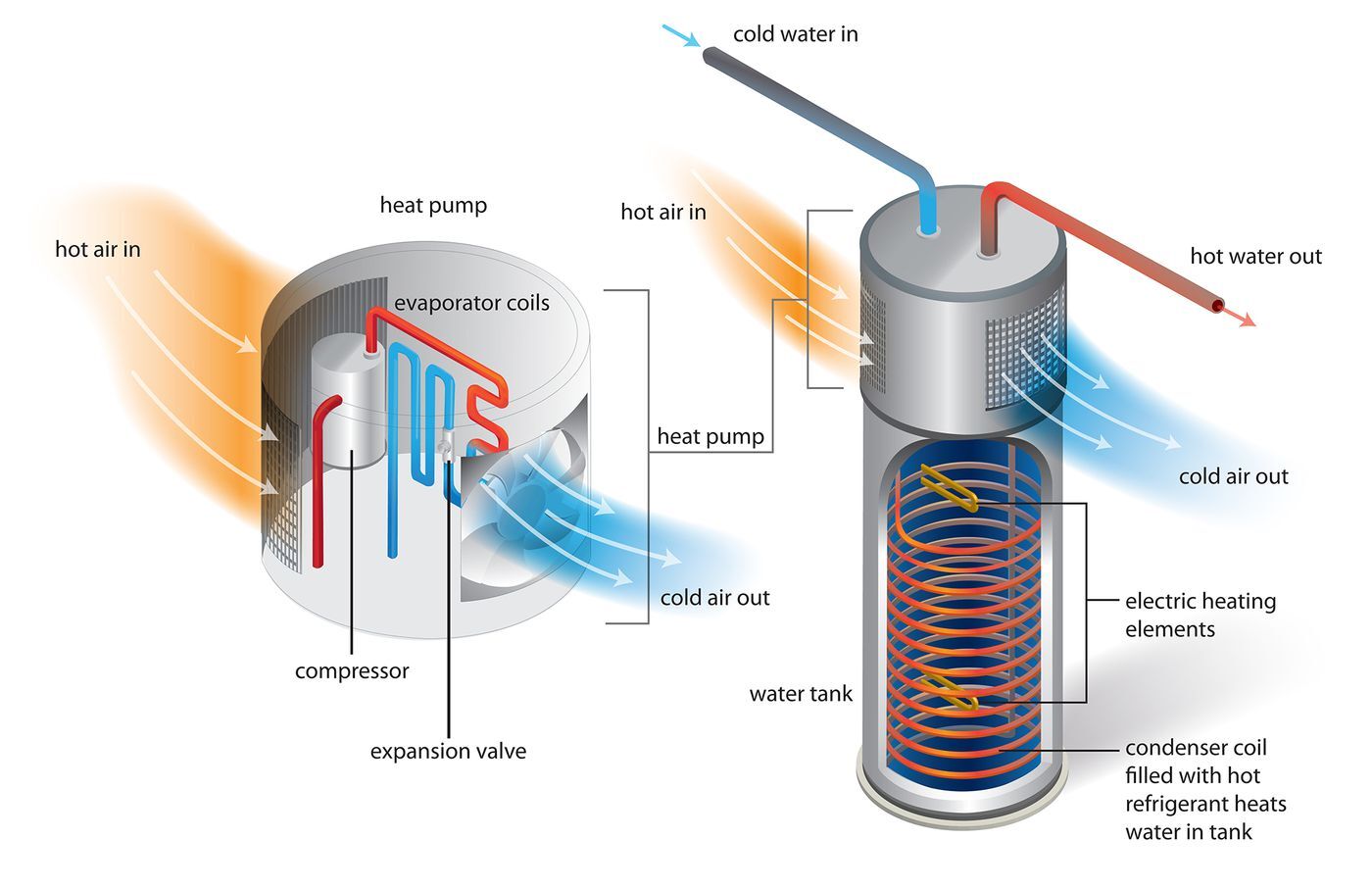
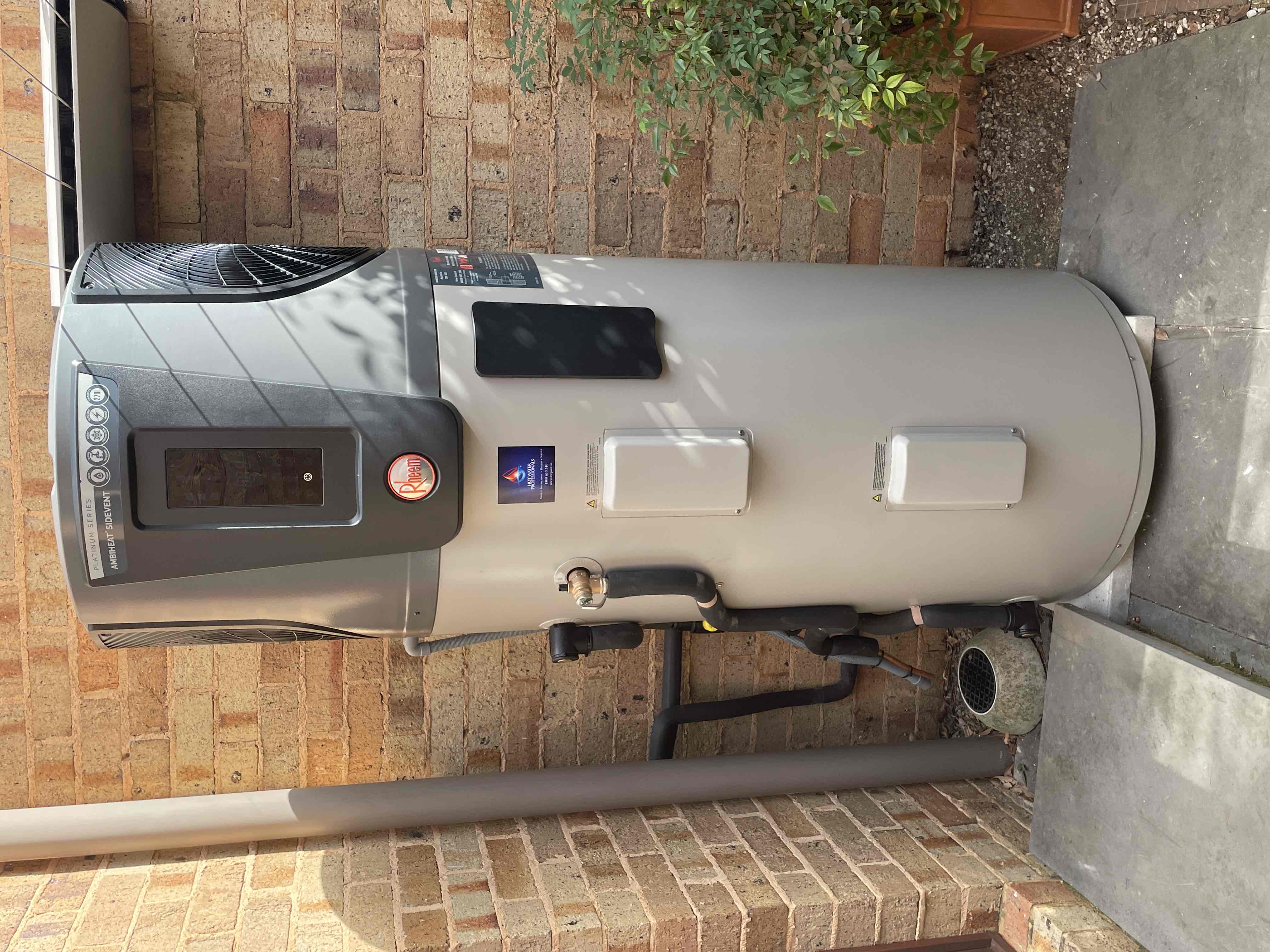
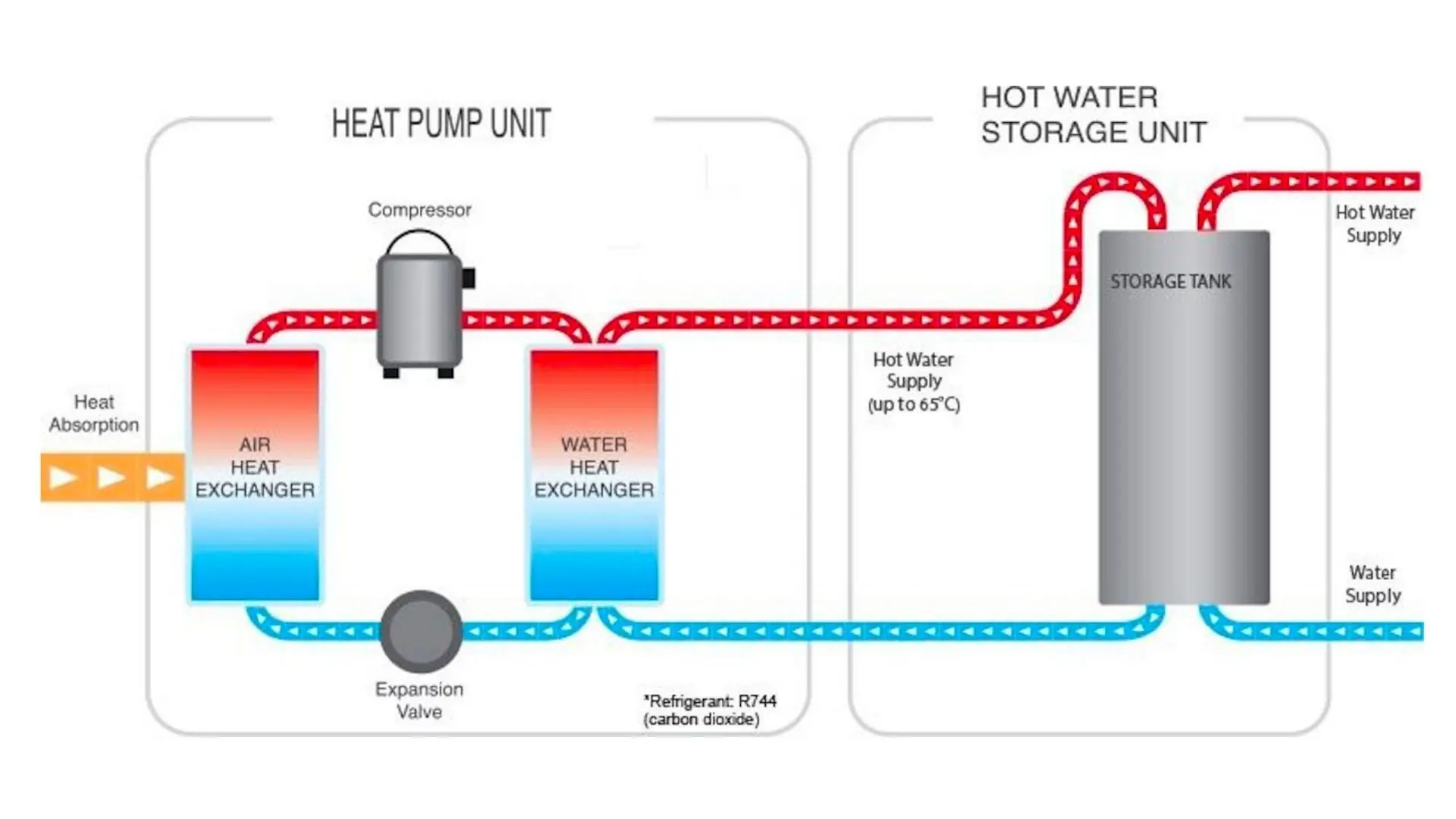
Before diving into troubleshooting, it's helpful to understand the basics of how a HPWH works. Unlike traditional electric heaters that directly heat water with a heating element, HPWHs use a refrigerant to extract heat from the surrounding air and transfer it to the water. This process is significantly more energy-efficient. They also often include a standard electric resistance heating element as a backup for periods of high demand or when the heat pump isn't sufficient.
Common HPWH Failure Signs:
- No hot water: The most obvious sign that something is wrong.
- Insufficient hot water: The water runs out much faster than usual.
- Lukewarm water: The water is not getting hot enough.
- Unusual noises: Loud humming, buzzing, or rattling sounds.
- Error codes: Displayed on the control panel.
- Water leaks: Visible around the unit or connected pipes.
Safety First!
Safety is paramount when working with any appliance, especially those involving electricity and water. Before starting any troubleshooting steps, take the following precautions:
- Turn off the power: Locate the circuit breaker for the HPWH in your electrical panel and switch it off. Double-check with a non-contact voltage tester to ensure the power is off.
- Avoid water: Ensure the area around the HPWH is dry.
- Read the manual: Familiarize yourself with the specific model and its safety guidelines.
- When in doubt, call a professional: If you're uncomfortable with any step, or if the problem seems complex, it's best to consult a qualified technician.
Troubleshooting Steps: A Step-by-Step Guide
Follow these steps in order to systematically diagnose the problem. Each step builds upon the previous one.
Step 1: Check the Power Supply
This is the most basic, but often overlooked, step. A simple power outage can be the culprit.
- Verify the circuit breaker: Ensure the circuit breaker for the HPWH is switched to the "on" position. If it's tripped, reset it. If it trips again immediately, there's likely a short circuit, and you should call an electrician immediately.
- Check the power cord (if applicable): Some HPWHs use a power cord. Make sure it's securely plugged into the outlet.
- Test the outlet: Use a multimeter or outlet tester to verify that the outlet is providing the correct voltage (usually 120V or 240V, depending on the unit). If there's no power, the problem lies with the outlet or the electrical wiring, and you'll need to contact an electrician.
Step 2: Review the Control Panel Settings
Incorrect settings can prevent the HPWH from operating correctly.
- Check the operating mode: HPWHs typically have multiple operating modes, such as "Heat Pump," "Electric," "Hybrid," and "Vacation." Ensure the mode is appropriate for your needs. "Heat Pump" mode is the most efficient, but it may not be sufficient during periods of high demand. "Electric" mode uses the resistance heating element and consumes more energy. "Hybrid" mode automatically switches between the two. "Vacation" mode lowers the water temperature to save energy while you're away.
- Verify the temperature setting: Make sure the temperature is set to a comfortable level (typically between 120°F and 140°F). Setting it too low will result in lukewarm water.
- Check for error codes: The control panel may display an error code indicating a specific problem. Consult the owner's manual to identify the meaning of the code and possible solutions. Some codes may require professional assistance.
- Timer settings: Some models have timer settings that could be inadvertently set to turn the unit off during certain times.
Step 3: Inspect the Air Filter (if applicable)
Some HPWH models have an air filter that needs to be cleaned regularly. A dirty filter can restrict airflow and reduce the efficiency of the heat pump, potentially leading to insufficient hot water.
- Locate the air filter: Consult the owner's manual to find the location of the air filter. It's usually located on the front or side of the unit.
- Remove the filter: Carefully remove the filter.
- Clean the filter: Wash the filter with mild soap and water, or vacuum it thoroughly. Allow it to dry completely before reinstalling it.
- Reinstall the filter: Place the clean, dry filter back into its housing.
Step 4: Check for Airflow Obstructions
The heat pump needs adequate airflow to function correctly. Obstructions can reduce its efficiency and lead to problems.
- Clear obstructions: Ensure there are no boxes, furniture, or other items blocking the airflow around the HPWH. The unit needs several feet of clear space on all sides.
- Check the surrounding environment: The heat pump draws heat from the air. If the room is too cold (e.g., an unheated basement), the HPWH will struggle to heat the water efficiently. Consider moving the unit to a warmer location or insulating the room.
- Ensure proper ventilation: The HPWH needs adequate ventilation to draw in fresh air. Make sure the room is not too tightly sealed.
Step 5: Inspect the Condensate Drain Line
HPWHs produce condensate (water) as a byproduct of the heat pump process. The condensate drain line removes this water. A clogged drain line can cause water to back up and potentially damage the unit.
- Locate the condensate drain line: This is a small tube that extends from the HPWH.
- Check for clogs: Inspect the drain line for any visible clogs or obstructions.
- Flush the drain line: Use a wet/dry vacuum or a small pump to flush the drain line with water to remove any blockages. You can also try using a stiff wire to dislodge any debris.
- Ensure proper drainage: Make sure the drain line is properly connected to a drain or condensate pump.
Step 6: Check the Heating Elements (If you are comfortable with electrical work)
Important: This step involves working with electricity. If you are not comfortable working with electricity, DO NOT attempt this step. Contact a qualified electrician.
Even though HPWHs primarily use heat pump technology, they usually have electric resistance heating elements as backup. If the heat pump fails or during periods of high demand, these elements kick in. If they fail, you'll have limited or no hot water.
- Turn off the power: Absolutely essential! Turn off the circuit breaker for the HPWH.
- Locate the heating elements: These are typically located behind access panels on the side of the water heater. Consult your owner's manual for the exact location.
- Remove the access panel: Use a screwdriver to remove the screws holding the access panel in place.
- Test the heating elements: Use a multimeter to test the continuity of each heating element. If the multimeter reads "OL" (open line) or a very high resistance, the element is likely burned out and needs to be replaced.
- Replace the heating element (if necessary):
- Disconnect the wires from the old heating element.
- Unscrew the old heating element using a special heating element wrench (available at most hardware stores).
- Apply Teflon tape to the threads of the new heating element.
- Screw the new heating element into the tank.
- Reconnect the wires to the new heating element.
- Reinstall the access panel: Replace the access panel and secure it with screws.
- Turn the power back on: Turn the circuit breaker back on.
Step 7: Check the Thermostat (If you are comfortable with electrical work)
Important: This step involves working with electricity. If you are not comfortable working with electricity, DO NOT attempt this step. Contact a qualified electrician.
The thermostat controls the temperature of the water. If it's faulty, the water may not heat properly, or the heating element may not turn on at all.
- Turn off the power: Absolutely essential! Turn off the circuit breaker for the HPWH.
- Locate the thermostat: The thermostat is usually located near the heating elements, behind an access panel.
- Remove the access panel: Use a screwdriver to remove the screws holding the access panel in place.
- Test the thermostat: Use a multimeter to test the thermostat for continuity. If the thermostat is not working correctly, it may need to be replaced.
- Replace the thermostat (if necessary):
- Disconnect the wires from the old thermostat.
- Remove the old thermostat.
- Install the new thermostat.
- Reconnect the wires to the new thermostat.
- Reinstall the access panel: Replace the access panel and secure it with screws.
- Turn the power back on: Turn the circuit breaker back on.
When to Call a Professional
While many HPWH problems can be resolved with simple troubleshooting steps, some issues require the expertise of a qualified technician. Call a professional in the following situations:
- You are uncomfortable working with electricity or gas.
- The circuit breaker trips repeatedly.
- There are signs of a gas leak (if applicable).
- You suspect a refrigerant leak.
- The HPWH is making loud or unusual noises that you can't identify.
- You've tried the troubleshooting steps and the problem persists.
- The HPWH is still under warranty. Attempting repairs yourself may void the warranty.
- You suspect the compressor is failing. This is a complex repair requiring specialized tools and knowledge.
Preventative Maintenance
Regular maintenance can help prevent HPWH problems and extend the life of your unit.
- Flush the tank annually: This removes sediment buildup that can reduce efficiency and damage the heating elements. Follow the manufacturer's instructions for flushing the tank.
- Inspect the anode rod: The anode rod protects the tank from corrosion. It should be inspected every few years and replaced if it's corroded.
- Clean the air filter regularly: As described above, a clean air filter improves efficiency.
- Keep the area around the HPWH clear: Ensure adequate airflow around the unit.
By following this troubleshooting guide and performing regular maintenance, you can keep your heat pump water heater running smoothly and efficiently for years to come. Remember to prioritize safety and don't hesitate to call a professional when needed.