How Does An Attic Fan Work
Many homeowners experience the frustration of a sweltering home, especially during the summer months. A key component to combating this heat is often the attic fan. But what happens when it stops working? Before you call a professional, let's explore how an attic fan works and how to troubleshoot common issues.
How Does An Attic Fan Work?
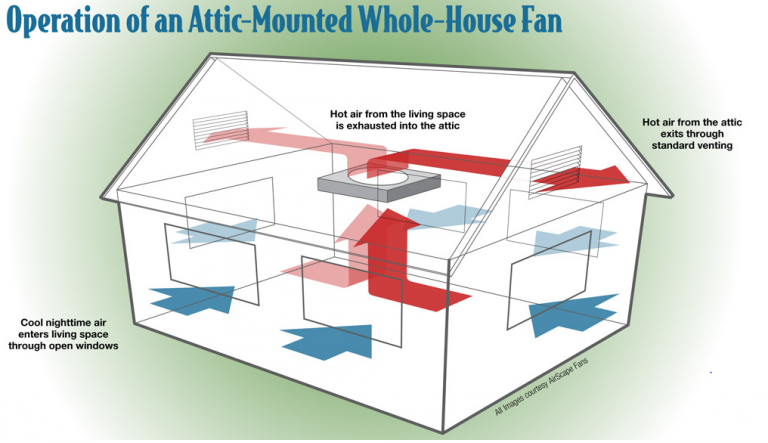
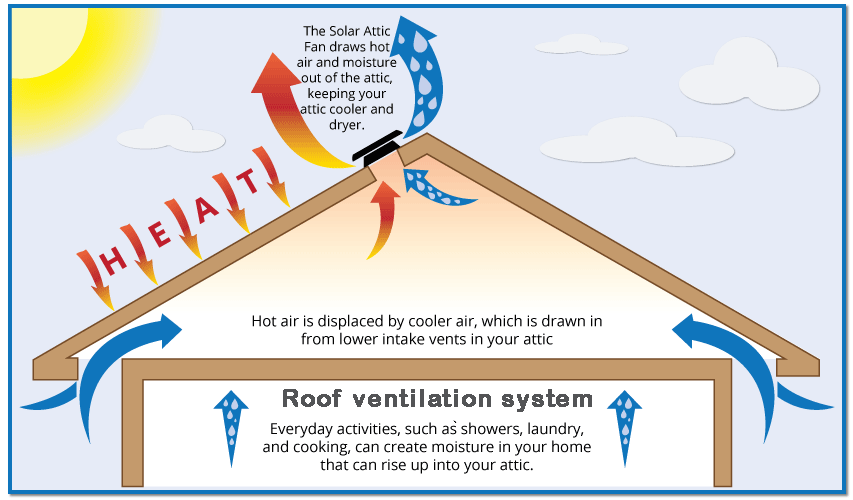
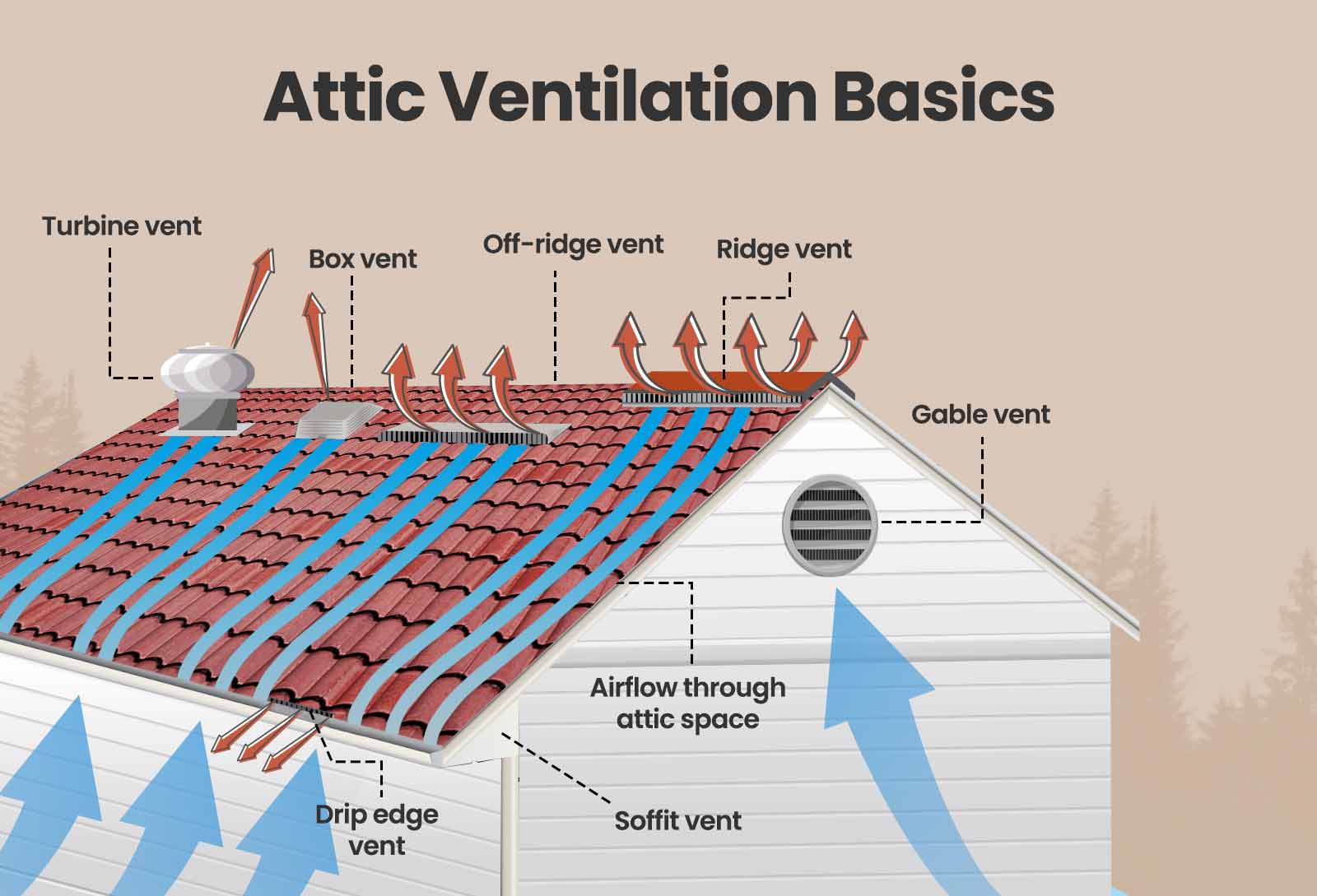
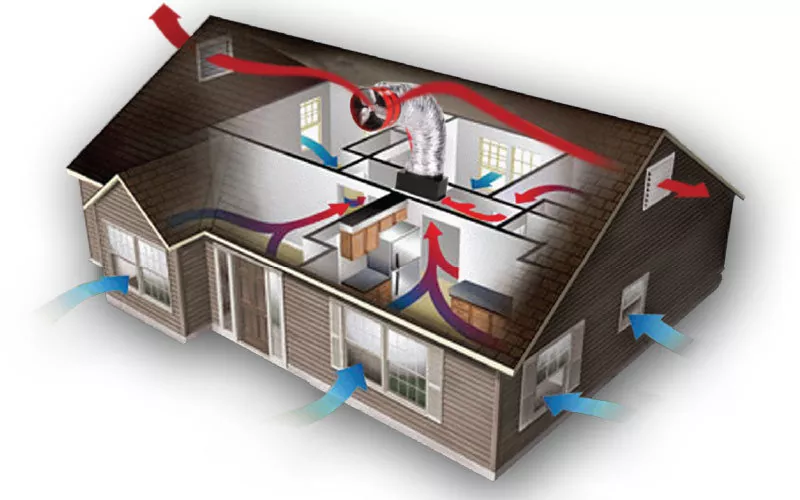
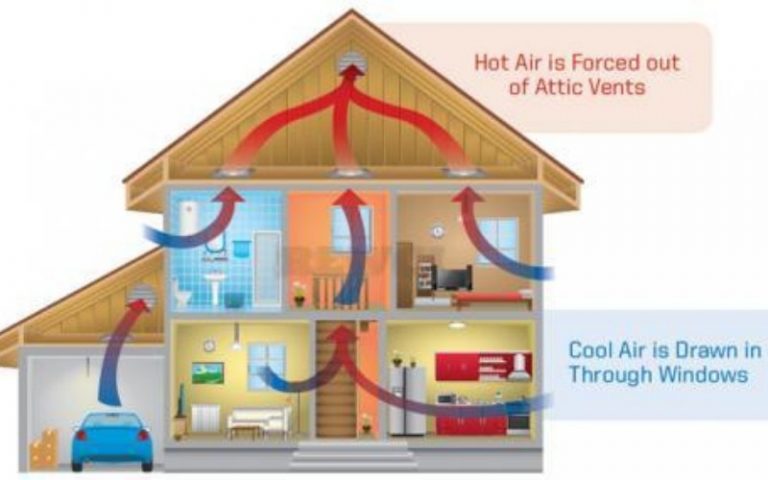
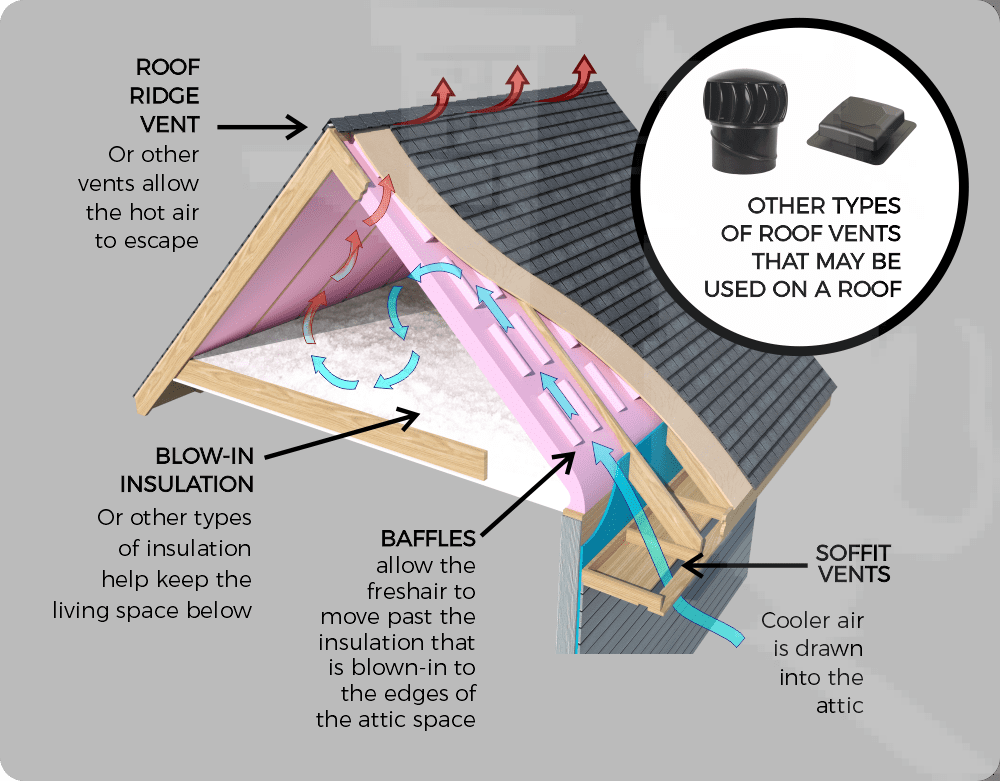
Attic fans are designed to remove hot air from your attic space. Think of your attic as an oven – it traps heat from the sun, which can then radiate down into your living spaces, driving up your cooling costs. An attic fan helps to prevent this by expelling the hot air and drawing in cooler air from outside through vents, like soffit vents, in your eaves.
There are two main types of attic fans:
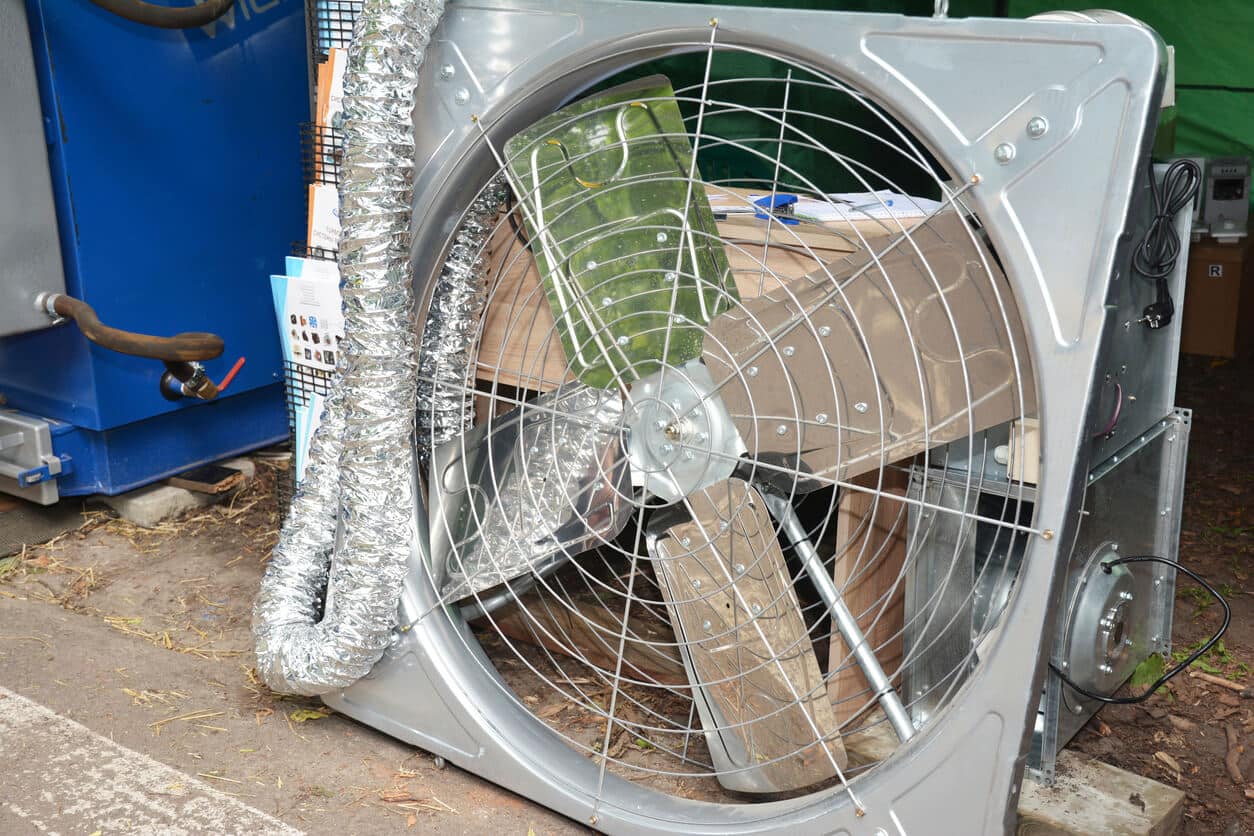
- Whole-house fans: These powerful fans are typically mounted in the ceiling between the attic and living space. They draw air from the entire house into the attic and exhaust it outside.
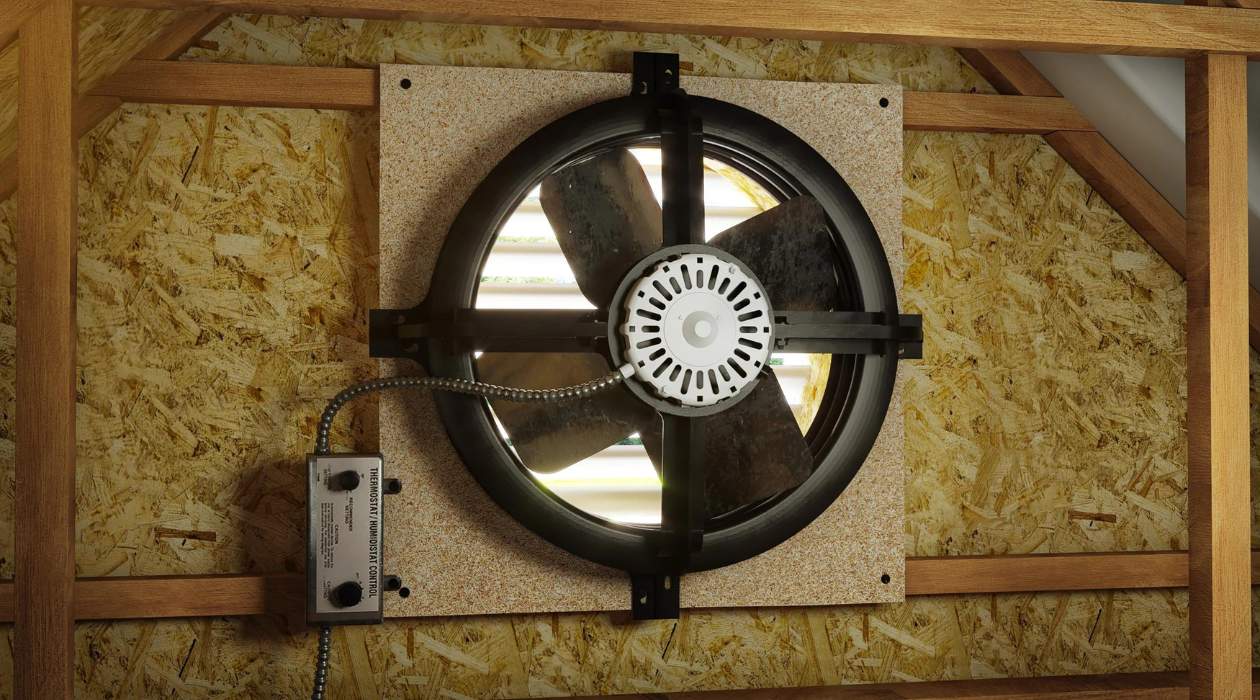
- Gable fans: These fans are installed within the gable vents of your attic. They pull hot air directly from the attic and exhaust it to the outside.
Regardless of the type, all attic fans work on the same principle: moving air to reduce heat buildup.
Common Attic Fan Problems
One of the most common problems is a fan that simply won't turn on. This can be due to a number of factors, ranging from a simple power issue to a more complex motor problem. Other common issues include:
- Fan runs constantly: The thermostat or humidistat might be malfunctioning.
- Fan is noisy: Could be due to loose components, a failing motor, or debris caught in the fan blades.
- Insufficient airflow: The fan might be undersized for the attic, or vents may be blocked.
Troubleshooting: A Step-by-Step Guide
Here's a methodical approach to diagnosing and potentially fixing your attic fan issues:
Step 1: Safety First!
Before you begin any troubleshooting, turn off the power to the attic fan at the circuit breaker. This is crucial to prevent electric shock. Double-check that the power is off by using a non-contact voltage tester near the fan's wiring.
Step 2: Check the Power Source
This is the simplest, and often overlooked, step. Follow these sub-steps:
- Circuit Breaker: Go to your electrical panel and ensure the circuit breaker for the attic fan is in the "ON" position. If it's tripped (in the middle or "OFF" position), reset it by flipping it to "OFF" and then back to "ON". If it trips again immediately, there's a short circuit, and you should call a qualified electrician.
- Outlet: If the fan is plugged into an outlet, test the outlet with another device (like a lamp) to ensure it's working. If the outlet isn't working, check for a tripped GFCI outlet in the bathroom or kitchen that might be controlling it.
- Wiring Connections: If the fan is hardwired, carefully inspect the wiring connections at the fan itself. Look for loose wires, corroded terminals, or any signs of damage. If you see any of these issues, carefully tighten the connections (with the power OFF!) or replace damaged wires. If you're not comfortable working with electrical wiring, call a qualified electrician.
Step 3: Inspect the Fan Components
- Fan Blades: Check the fan blades for any obstructions, such as bird nests, debris, or tangled wires. Carefully remove any obstructions. Make sure the blades can spin freely.
- Motor: Look for any signs of damage to the motor, such as cracks, burnt smells, or oil leaks. A damaged motor usually requires replacement.
- Thermostat/Humidistat: Most attic fans are equipped with a thermostat or humidistat that controls when the fan turns on and off. Check the settings to ensure they are appropriate for the current weather conditions. If the fan is set too low, it may not turn on.
- Wiring inside the fan housing: carefully, with power OFF, examine the wires inside the fan housing. Check for any loose connections or fraying.
Step 4: Testing the Thermostat/Humidistat
If the fan isn't turning on and you've ruled out power issues, the thermostat or humidistat may be faulty. Here's how to test them:
- Thermostat: Most thermostats have a temperature dial. Turn the dial to a setting that is lower than the current temperature in the attic. If the fan turns on, the thermostat is likely working. If it doesn't, the thermostat may be faulty and need replacement.
- Humidistat: Humidistats are more difficult to test without specialized equipment. However, you can try increasing the humidity setting. If the fan turns on, it suggests the humidistat is functional. If it remains off, it may need replacing.
Replacing a thermostat or humidistat is a relatively straightforward DIY task, but if you're not comfortable working with electrical components, it's best to call a professional.
Step 5: Addressing Noisy Fan Operation
A noisy attic fan can be a sign of several problems:
- Loose Components: Check all screws and bolts on the fan housing and motor mount to ensure they are tight. Vibration can loosen these over time.
- Motor Bearings: If the noise is a grinding or squealing sound, the motor bearings may be failing. Replacing the motor is usually the most cost-effective solution.
- Blade Imbalance: If the fan blades are bent or damaged, they can cause the fan to vibrate and become noisy. Carefully inspect the blades and straighten them or replace them if necessary.
- Debris: As mentioned before, debris stuck in the blades can cause noise. Clean the blades thoroughly.
Step 6: Insufficient Airflow
If your attic fan is running but not effectively cooling your attic, consider these factors:
- Fan Size: The fan may be undersized for your attic. A general rule of thumb is that you need about 1 CFM (cubic feet per minute) of airflow per square foot of attic space. Calculate your attic's square footage and ensure your fan has adequate CFM.
- Ventilation: Make sure your attic has adequate intake vents (soffit vents) to allow cooler air to enter as the hot air is exhausted. Blocked vents will restrict airflow and reduce the fan's effectiveness. Clear away any obstructions from the vents.
- Fan Direction: Ensure that the fan is blowing air *out* of the attic.
When to Call a Professional
While many attic fan problems can be resolved with DIY troubleshooting, there are certain situations where it's crucial to call a qualified electrician or HVAC technician. These include:
- Electrical shorts: If the circuit breaker trips repeatedly, there's likely a short circuit that requires professional attention.
- Damaged wiring: If you see any frayed, burned, or damaged wiring, do not attempt to repair it yourself. Call an electrician.
- Motor issues: If the motor is smoking, sparking, or making unusual noises, do not attempt to repair it yourself. Motor replacement is often best left to a professional.
- You're uncomfortable: If you're not comfortable working with electrical wiring or climbing in your attic, it's always best to err on the side of caution and call a professional.
- If after performing these steps the fan is still not working.
Preventative Maintenance
To keep your attic fan running smoothly and efficiently, consider these preventative maintenance tips:
- Clean the fan blades regularly: Remove dust, debris, and cobwebs at least once a year.
- Lubricate the motor: Check the motor for lubrication points and apply a few drops of light machine oil as needed. Refer to the manufacturer's instructions for specific recommendations.
- Inspect the wiring: Periodically inspect the wiring for any signs of damage.
- Check the vents: Make sure your attic vents are clear of obstructions.
By understanding how your attic fan works and following these troubleshooting steps, you can often diagnose and fix minor problems yourself, saving you time and money. Remember to always prioritize safety and don't hesitate to call a professional when needed. With a little knowledge and effort, you can keep your attic fan running efficiently and keep your home cooler during the hot summer months.