How To Set Air Conditioning Thermostat
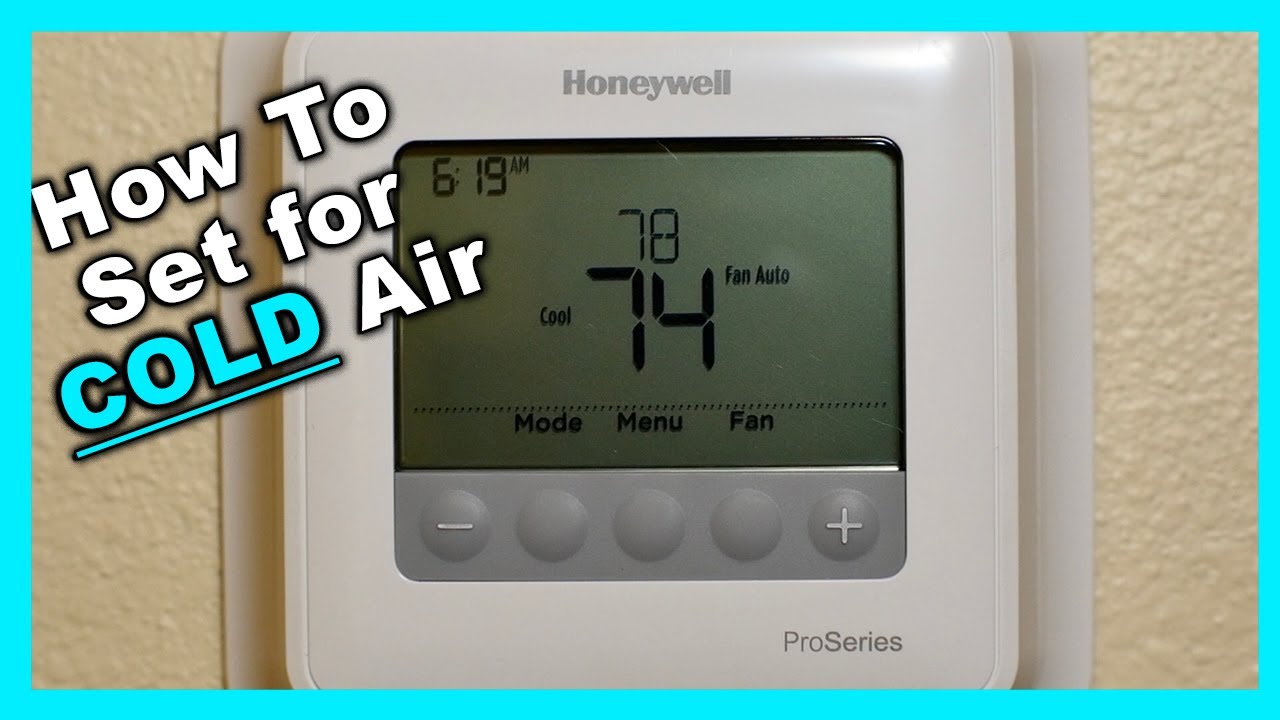
Imagine this: it's a scorching summer day, you walk inside expecting a cool, refreshing blast of air, but instead, your air conditioner is blowing warm air, or worse, not turning on at all. This is a common household frustration, often stemming from a simple issue with your thermostat. Before calling a professional, let's explore some basic troubleshooting steps you can take to diagnose and potentially fix the problem yourself. This guide will walk you through checking your thermostat settings, power supply, and other common culprits, empowering you to regain control of your home's temperature.
Step 1: Initial Assessment - Is it *Really* the Thermostat?
Before diving into the thermostat, it's crucial to rule out other potential causes for your AC woes. Consider these possibilities:
- Check the Air Filter: A clogged air filter restricts airflow, making your AC work harder and less efficiently. Replace it with a clean filter. This is a simple maintenance task that can significantly improve your AC's performance.
- Inspect Outdoor Unit: Ensure the outdoor condenser unit isn't blocked by debris like leaves, branches, or overgrown plants. Clear any obstructions to allow proper airflow.
- Circuit Breaker: Verify that the circuit breaker for your AC unit hasn't tripped. If it has, reset it. If it trips again immediately, there's a more serious electrical problem that requires professional attention. Do not repeatedly reset a tripping breaker.
If you've addressed these common issues and your AC is still malfunctioning, then the thermostat is a likely suspect.
Step 2: Power Check - Is the Thermostat Even On?
A seemingly obvious, yet often overlooked step is ensuring the thermostat has power. Digital thermostats require a power source to operate. Here's how to check:
Battery-Powered Thermostats:
- Check the Display: Is the screen blank or dim? This is a common indicator of low batteries.
- Replace Batteries: Open the thermostat housing (usually a snap-off cover) and replace the batteries with fresh ones of the correct type (typically AA or AAA).
- Proper Installation: Make sure the batteries are installed with the correct polarity (+ and -).
Hardwired Thermostats:
- Check the Circuit Breaker: Even hardwired thermostats often have a low-voltage transformer powered by a circuit breaker. Ensure the breaker is on.
- Loose Wiring (Advanced - Proceed with Caution!): If you're comfortable and absolutely certain you've turned off the power to the thermostat at the breaker, carefully remove the thermostat from the wall plate. Look for any loose or disconnected wires. If you find any, and you know where they belong, reattach them securely. If you're unsure, do not proceed and call a qualified electrician. Improper wiring can damage the thermostat or even create a fire hazard.
Step 3: Setting the Thermostat - Understanding the Basics
Once you've confirmed the thermostat has power, understanding the basic settings is crucial.
Mode Settings:
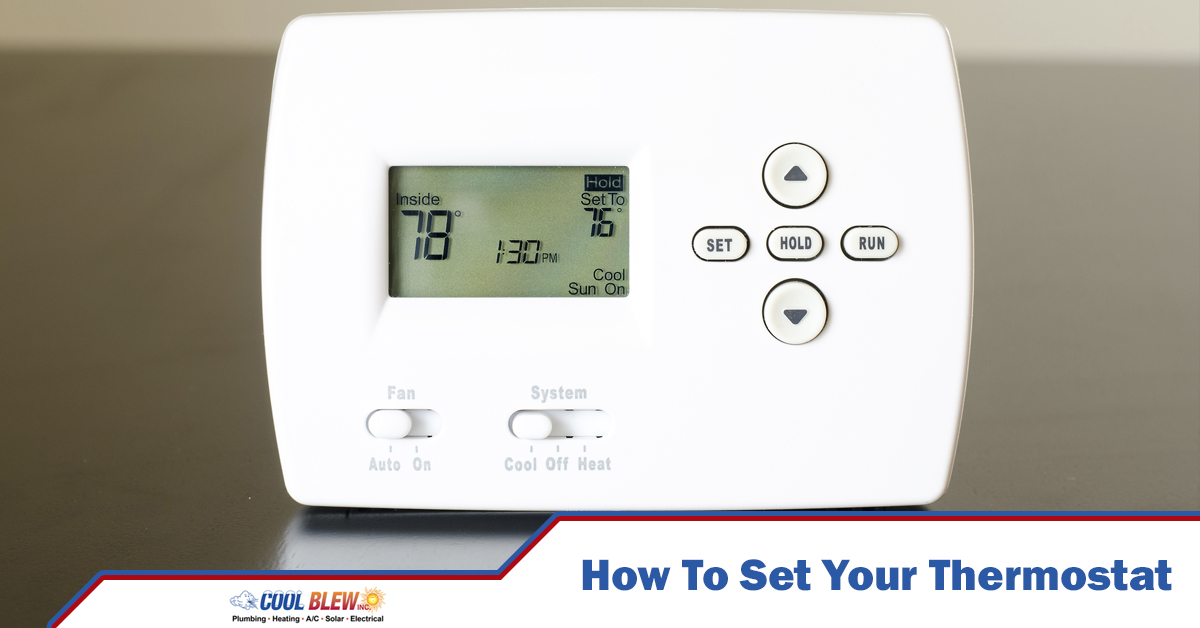
- Cool Mode: Ensure the thermostat is set to "Cool" mode. This tells the AC unit to turn on when the room temperature exceeds the setpoint.
- Heat Mode: If your thermostat is set to "Heat," it will activate the heating system, not the AC.
- Auto Mode: In "Auto" mode, the thermostat will switch between heating and cooling based on the temperature. This can be useful but can sometimes lead to unexpected operation.
- Off Mode: "Off" mode disables both heating and cooling. Make sure it isn't accidentally set to "Off."
Fan Settings:
- Auto: The fan runs only when the AC or heating system is active.
- On: The fan runs continuously, even when the AC or heating system isn't running. This helps circulate air and even out temperature, but it can also increase energy consumption.
Temperature Setpoint:
- Setting the Temperature: Set the desired temperature. Make sure the temperature you set is *lower* than the current room temperature for the AC to turn on in "Cool" mode.
- Temperature Difference: Some thermostats have a "temperature swing" or "differential" setting. This determines how much the temperature needs to deviate from the setpoint before the AC turns on. A smaller swing means more frequent cycling, while a larger swing means less frequent cycling.
Step 4: Checking the Program/Schedule
Many modern thermostats are programmable, allowing you to set different temperatures for different times of the day. This feature, while energy-saving, can sometimes be the source of your AC problems.
- Review the Schedule: Carefully review the programmed schedule. Is it possible that the thermostat is programmed to a higher temperature during the time you expect the AC to be cooling?
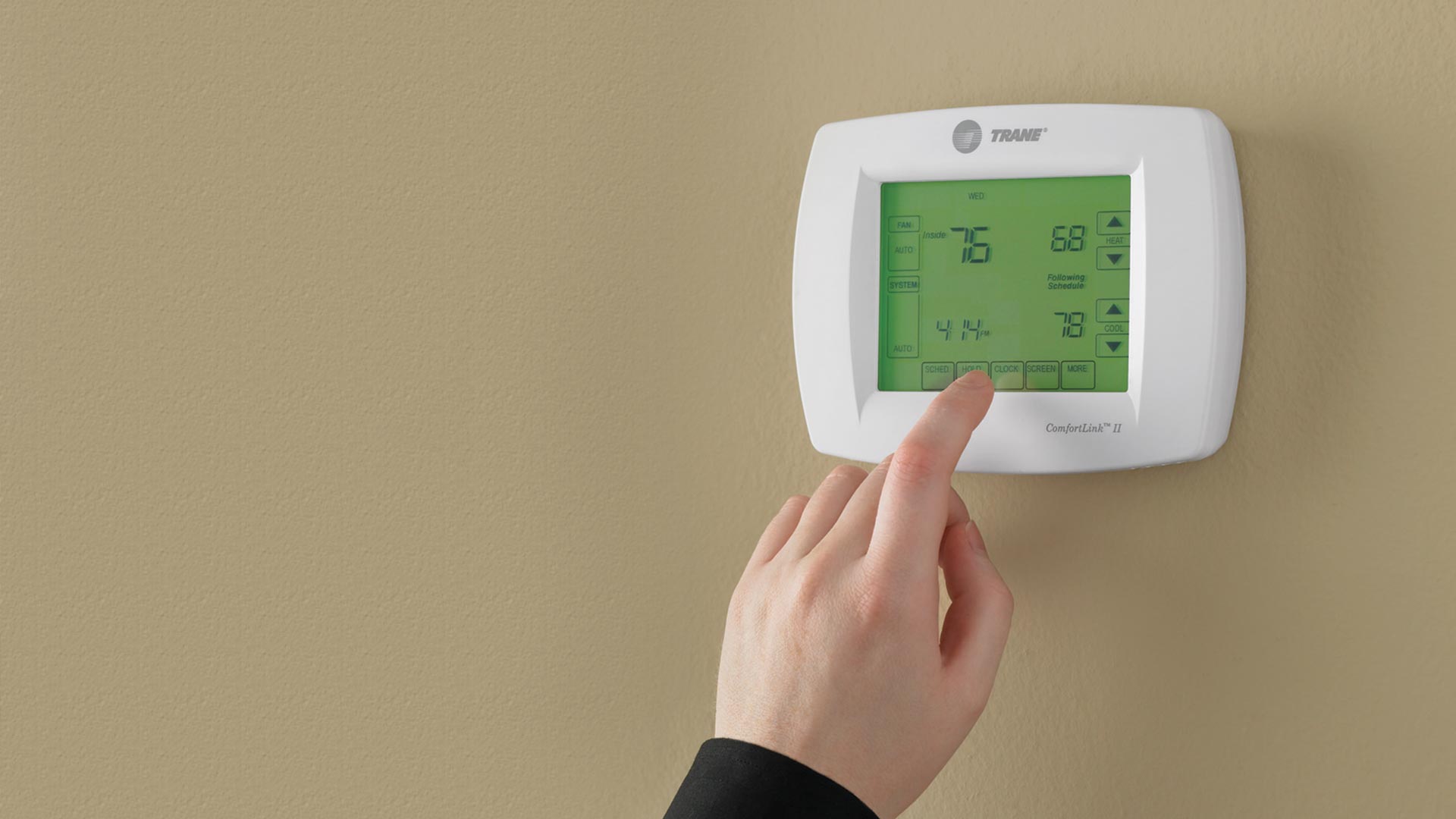
- Temporary Override: Most programmable thermostats allow you to temporarily override the programmed settings. Use this feature to set the desired temperature and see if the AC turns on.
- Reset to Default: If you're unsure how to navigate the programming, consider resetting the thermostat to its default settings. The method for doing this varies depending on the model, so consult your thermostat's manual.
Step 5: Inspecting Wiring Connections (Proceed with Extreme Caution!)
This step involves working with electrical wiring and should only be attempted if you are comfortable and have a basic understanding of electrical safety. If you are not comfortable, or if you are unsure about anything, call a qualified electrician. ALWAYS turn off the power to the thermostat at the circuit breaker before attempting any wiring work.
- Power Off: Absolutely ensure that the power to the thermostat is turned off at the circuit breaker.
- Remove Thermostat: Carefully remove the thermostat from the wall plate.
- Inspect Wires: Look for any loose, corroded, or damaged wires.
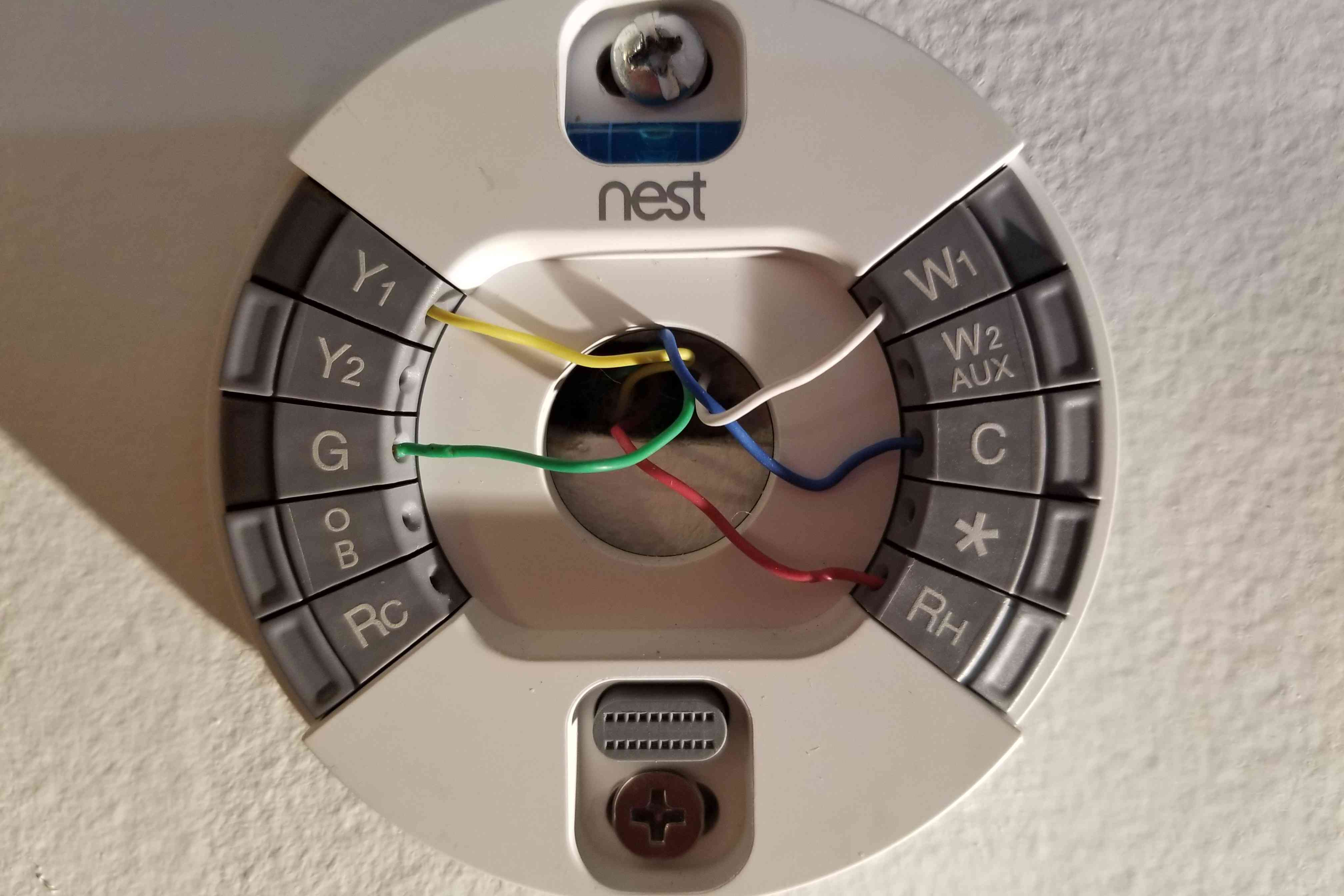
- Wire Connections: Ensure that the wires are securely connected to the correct terminals. The wiring diagram is usually printed on the back of the thermostat or in the installation manual. Common terminals include:
- R: Power (usually red)
- C: Common (usually blue or black)
- Y: Cooling (usually yellow)
- G: Fan (usually green)
- W: Heating (usually white)
- Tighten Connections: If any connections are loose, carefully tighten the screws holding the wires in place.
- Reattach Thermostat: Carefully reattach the thermostat to the wall plate.
- Power On: Turn the power back on at the circuit breaker.
- Test: Test the thermostat to see if the AC is now working properly.
Note: Incorrect wiring can damage your thermostat or AC system. If you are unsure about the wiring, do not proceed and call a qualified HVAC technician.
Step 6: Cleaning the Thermostat (If Applicable)
Some older thermostats, particularly mechanical ones, can accumulate dust and debris that can interfere with their operation. Cleaning can sometimes resolve issues.
- Power Off: Turn off the power to the thermostat at the circuit breaker.
- Remove Cover: Carefully remove the thermostat cover.
- Dust Removal: Use a soft brush or a can of compressed air to gently remove any dust or debris from the internal components.
- Avoid Liquids: Do not use any liquids to clean the thermostat.
- Reassemble: Carefully reassemble the thermostat cover.
- Power On: Turn the power back on at the circuit breaker.
- Test: Test the thermostat to see if the AC is now working properly.
Step 7: Advanced Troubleshooting and When to Call a Professional
If you've tried all of the above steps and your AC is still not working properly, the problem may be more complex and require professional attention. Here are some signs that it's time to call an HVAC technician:
- Electrical Problems: If you suspect any electrical problems, such as a short circuit or a faulty wiring, do not attempt to fix it yourself. Electrical work can be dangerous and should only be performed by a qualified electrician.
- Refrigerant Leaks: If you suspect a refrigerant leak, do not attempt to fix it yourself. Refrigerant is a hazardous substance and should only be handled by a qualified HVAC technician.
- Compressor Problems: If you suspect a problem with the compressor, do not attempt to fix it yourself. The compressor is a complex and expensive component and should only be repaired or replaced by a qualified HVAC technician.
- Strange Noises: Unusual noises coming from your AC unit, such as banging, grinding, or hissing, can indicate a serious problem.
- Frequent Cycling: If your AC unit is turning on and off frequently, it may be a sign of a problem with the compressor or other components.
- Uneven Cooling: If some rooms in your house are cooler than others, it may be a sign of a problem with the ductwork or the AC unit itself.
- Thermostat Replacement: If you suspect that your thermostat is faulty and needs to be replaced, and you are not comfortable doing it yourself, call a professional.
Attempting to fix complex HVAC problems without the proper knowledge and tools can be dangerous and can potentially damage your system further. It's always best to err on the side of caution and call a qualified professional when in doubt.
Final Thoughts
Troubleshooting your air conditioning thermostat can seem daunting, but by following these steps, you can often identify and resolve simple issues yourself. Remember to prioritize safety, and never hesitate to call a professional when dealing with electricity, gas, or complex repairs. By understanding the basics of your thermostat and AC system, you can maintain a comfortable home environment and potentially save money on repair bills.