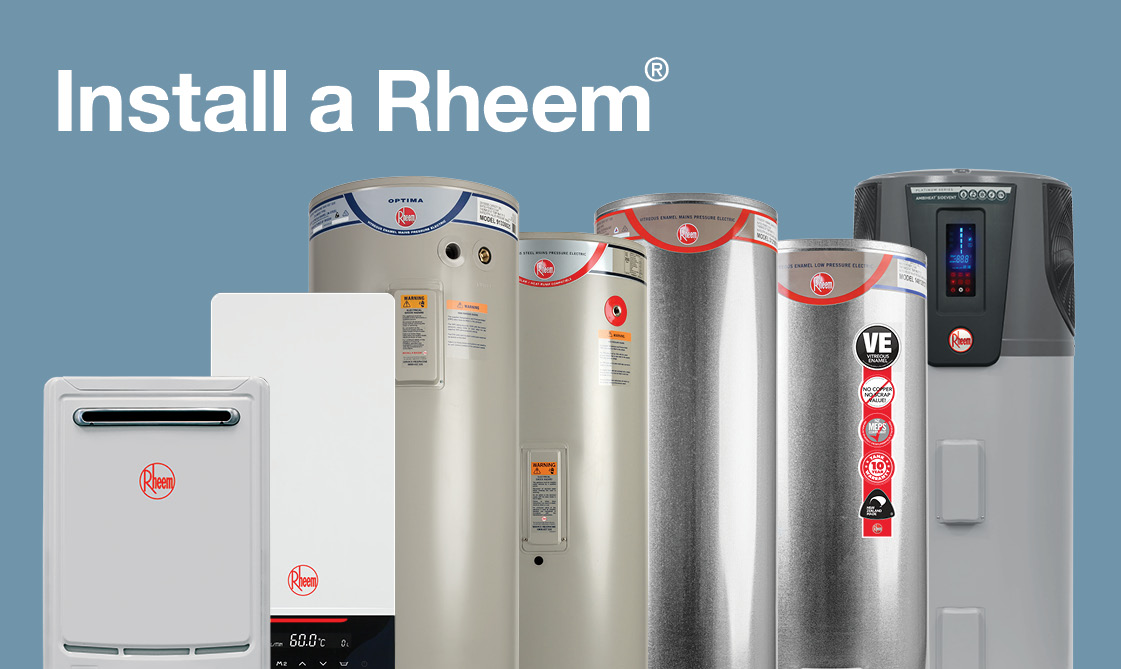
Rheem Product Registration
Registering your Rheem product is a crucial step to ensure you receive the full benefits of your warranty and access important product information. This guide will walk you through the entire process, explaining why registration is important, how to register, and what information you'll need. We'll also cover troubleshooting common issues and answering frequently asked questions.
Why Register Your Rheem Product?
Registering your Rheem appliance, whether it's a water heater, furnace, air conditioner, or heat pump, offers several significant advantages:
1. Warranty Protection
The most important reason to register is to activate and validate your product's warranty. Rheem products come with a manufacturer's warranty that covers specific parts and labor for a defined period. Without registration, proving your date of purchase and entitlement to warranty service can be challenging. Think of your registration as your warranty's "birth certificate."
2. Faster Service and Support
When you contact Rheem customer support for assistance, having your product registered allows them to quickly access your product details and purchase information. This streamlines the troubleshooting process and ensures you receive faster, more efficient service. Imagine calling for help and having all your product information already available to the technician – registration makes that possible.
3. Safety Notifications and Recalls
In the rare event of a product recall or safety notification, Rheem can easily contact registered owners. This ensures you are promptly informed about any potential safety issues and provided with instructions on how to address them. This is particularly important for gas-powered appliances where safety is paramount. You'll receive vital information directly instead of relying on chance encounters with news reports.
4. Proof of Ownership
Registration serves as proof of ownership, which can be helpful in case of theft or damage. Having your product registered makes it easier to identify and recover your appliance if it is ever stolen.
5. Potential Rebates and Incentives
Sometimes, Rheem offers rebates or incentives for registering certain products. Registration ensures you are eligible for these offers and don't miss out on potential savings. Keep an eye on Rheem's website or promotional materials for information on available rebates.
How to Register Your Rheem Product
Rheem offers a straightforward online registration process. Here's a step-by-step guide:
1. Gather Necessary Information
Before you begin the registration process, gather the following information:
- Product Model Number: This is a unique identifier for your specific Rheem product. It's usually found on a sticker or nameplate on the appliance itself. Look for a combination of letters and numbers.
- Product Serial Number: This is another unique identifier, often located near the model number. It helps Rheem track the individual unit.
- Date of Purchase: The date you purchased the product. This is typically found on your sales receipt or invoice.
- Installing Contractor Information (Optional): If your product was installed by a professional, having their contact information (name, company, phone number) can be helpful, but it's usually not mandatory for registration.
- Your Contact Information: Your name, address, phone number, and email address.
2. Visit the Rheem Product Registration Website
Go to the official Rheem website. Look for a "Product Registration" link, usually found in the "Support" or "Owners" section. You can also directly search on Google for "Rheem Product Registration." Ensure you are on the official Rheem website to avoid scams.
3. Create an Account or Log In
You may need to create a Rheem account to register your product. If you already have an account, simply log in. Creating an account allows you to manage your registered products and access other Rheem services. Provide accurate information when creating your account.
4. Enter Product Information
Follow the online instructions to enter the product information you gathered in step one. This will include the model number, serial number, and date of purchase. Double-check the information you enter to ensure accuracy. Incorrect information can cause problems with your warranty later on.
5. Review and Submit
Before submitting, carefully review all the information you entered. Once you are satisfied that everything is correct, submit the registration form. You should receive a confirmation email from Rheem acknowledging your registration. Keep this email for your records.
Alternative Registration Methods
While online registration is the most common method, Rheem may offer alternative registration options in some cases:
Mail-In Registration
Some Rheem products may include a mail-in registration card. If you have one of these cards, fill it out completely and mail it to the address provided. Keep a copy of the completed card for your records.
Phone Registration
In some instances, you may be able to register your product by calling Rheem customer support. Check the Rheem website or your product documentation for the phone number to call for registration assistance. Be prepared to provide all the necessary product information over the phone.
Troubleshooting Common Registration Issues
Sometimes, you may encounter problems during the registration process. Here are some common issues and how to resolve them:
1. Incorrect Model or Serial Number
The most common issue is entering an incorrect model or serial number. Double-check the numbers on your product's nameplate or sticker. Pay close attention to letters and numbers that may look similar (e.g., "0" and "O," "1" and "I"). If you are still unsure, contact Rheem customer support for assistance.
2. Website Issues
Occasionally, the Rheem website may experience technical difficulties. If you are unable to access the website or complete the registration process, try again later. If the problem persists, contact Rheem customer support to report the issue.
3. No Confirmation Email
If you don't receive a confirmation email after submitting your registration, check your spam or junk mail folder. If you still don't find it, contact Rheem customer support to verify that your registration was successfully processed.
4. Unable to Create an Account
If you are having trouble creating a Rheem account, make sure you are using a valid email address and creating a strong password. If you have previously created an account, try resetting your password. If you are still unable to create an account, contact Rheem customer support for assistance.
Frequently Asked Questions (FAQs)
Here are some frequently asked questions about Rheem product registration:
Q: Is product registration mandatory?
A: While not strictly mandatory in the sense that your product won't function without it, registration is highly recommended to ensure you receive the full benefits of your warranty and access important product information. It simplifies the warranty claim process and ensures you are notified of any safety issues or recalls.
Q: What happens if I don't register my product?
A: If you don't register, proving your date of purchase and entitlement to warranty service can be more challenging. You may also miss out on important safety notifications and potential rebates.
Q: How long do I have to register my product?
A: It's best to register your Rheem product as soon as possible after purchase. While there may not be a strict deadline, registering promptly ensures you don't forget and that your warranty is immediately active. Rheem typically recommends registering within a specific timeframe, which you can find in your product documentation.
Q: Can I register a product that was purchased a long time ago?
A: Yes, you can generally register a product even if it was purchased some time ago. However, the warranty period begins on the date of purchase, so the remaining warranty coverage may be reduced depending on how long ago you bought the product. Try to locate your purchase receipt to accurately determine the date of purchase.
Q: What if I don't have the original receipt?
A: If you don't have the original receipt, try to locate other documentation that proves your purchase, such as a credit card statement or bank record. Contact the retailer where you purchased the product to see if they can provide a copy of your receipt. In some cases, Rheem may accept alternative forms of proof of purchase, but this is at their discretion.
Q: Can I transfer the warranty to a new owner if I sell my home?
A: Warranty transferability varies depending on the specific Rheem product and the terms of the warranty. Some warranties are transferable, while others are not. Check your product's warranty documentation for details on transferability. If the warranty is transferable, you will typically need to provide Rheem with documentation of the sale and the new owner's contact information.
Q: Who should I contact if I have questions about product registration?
A: If you have any questions or encounter any issues during the product registration process, contact Rheem customer support. You can find their contact information on the Rheem website or in your product documentation. Be prepared to provide your product's model and serial number when contacting customer support.
Conclusion
Registering your Rheem product is a simple yet essential step to protect your investment and ensure you receive the full benefits of your warranty. By following the steps outlined in this guide, you can easily register your product and enjoy peace of mind knowing that you are covered in case of any issues. Don't delay – register your Rheem product today!