What Does Auto Mode Mean On An Air Conditioner
:max_bytes(150000):strip_icc()/adjust-your-airconditioner-settings-155727-use-energy-saver-0bc55766100c43bcaaf95fe3c3d7c5e6.jpg)
Navigating the settings on your air conditioner can feel like deciphering a foreign language. Among the fan speeds, temperature settings, and timers, the "Auto" mode often sits, somewhat mysteriously, awaiting your command. But what *does* "Auto" mode actually mean, and more importantly, can it help you save money on your energy bills? The answer, in short, is often yes, but understanding how it works is key to maximizing its benefits. This article breaks down the mechanics of Auto mode, explores its energy-saving potential, and examines how it integrates with smart home technology for optimal climate control.
Understanding Auto Mode: The Basics
In essence, "Auto" mode on your air conditioner is a setting that allows the unit to intelligently manage both the temperature and fan speed based on the ambient temperature in your room. Think of it as cruise control for your indoor climate. Unlike manually setting a specific temperature and fan speed, Auto mode empowers your AC to make its own decisions about how to reach and maintain your desired comfort level. It does this by:
- Temperature Sensing: The AC unit constantly monitors the room's temperature using a built-in sensor.
- Mode Selection: Based on the difference between the setpoint temperature (your desired temperature) and the actual room temperature, the unit automatically switches between cooling, heating (if equipped), and fan-only modes.
- Fan Speed Adjustment: Auto mode typically modulates the fan speed to optimize both energy efficiency and cooling/heating performance. It will often start with a higher fan speed to quickly reach the desired temperature and then reduce the fan speed to maintain that temperature.
For example, if you set your AC to 72°F in Auto mode and the room temperature is currently 80°F, the unit will likely engage the cooling function with a higher fan speed to rapidly cool the space. Once the room reaches 72°F, the fan speed will likely decrease to a lower setting, or even cycle on and off periodically, to maintain the desired temperature. If the room temperature drops below 72°F (perhaps due to changes in outside temperature), the unit might switch to fan-only mode or, in heat pump systems, engage the heating function.
The Energy-Saving Potential of Auto Mode
The primary advantage of Auto mode is its potential to reduce energy consumption compared to manually setting a constant fan speed. Here's why:
- Optimized Fan Speed: Running the fan at a high speed constantly consumes more energy than necessary. Auto mode only uses the higher fan speed when actively cooling or heating, reducing overall energy consumption.
- Reduced Cycling: By maintaining a consistent temperature, Auto mode can minimize the on-off cycling of the compressor, which is the most energy-intensive component of your AC unit.
- Eliminates Overcooling/Overheating: Auto mode prevents the unit from running unnecessarily long periods trying to reach a temperature that’s already been achieved, cutting waste and lowering utility bills.
Data from the Energy Star program consistently shows that optimizing HVAC settings can lead to significant energy savings. While the exact savings will vary depending on your climate, insulation, and lifestyle, studies suggest that using Auto mode can potentially reduce your AC energy consumption by 5-15% compared to running the fan continuously on a high setting. Think of it this way: a standard window AC unit running 8 hours a day at a high fan setting might cost $50-75 per month in electricity. A 10% reduction thanks to Auto mode translates to $5-7.50 savings per month or $60-90 per year. Over the lifespan of the unit, these savings can add up significantly.
Auto Mode vs. Other Settings: A Comparison
To fully appreciate the benefits of Auto mode, it's helpful to compare it to other common AC settings:
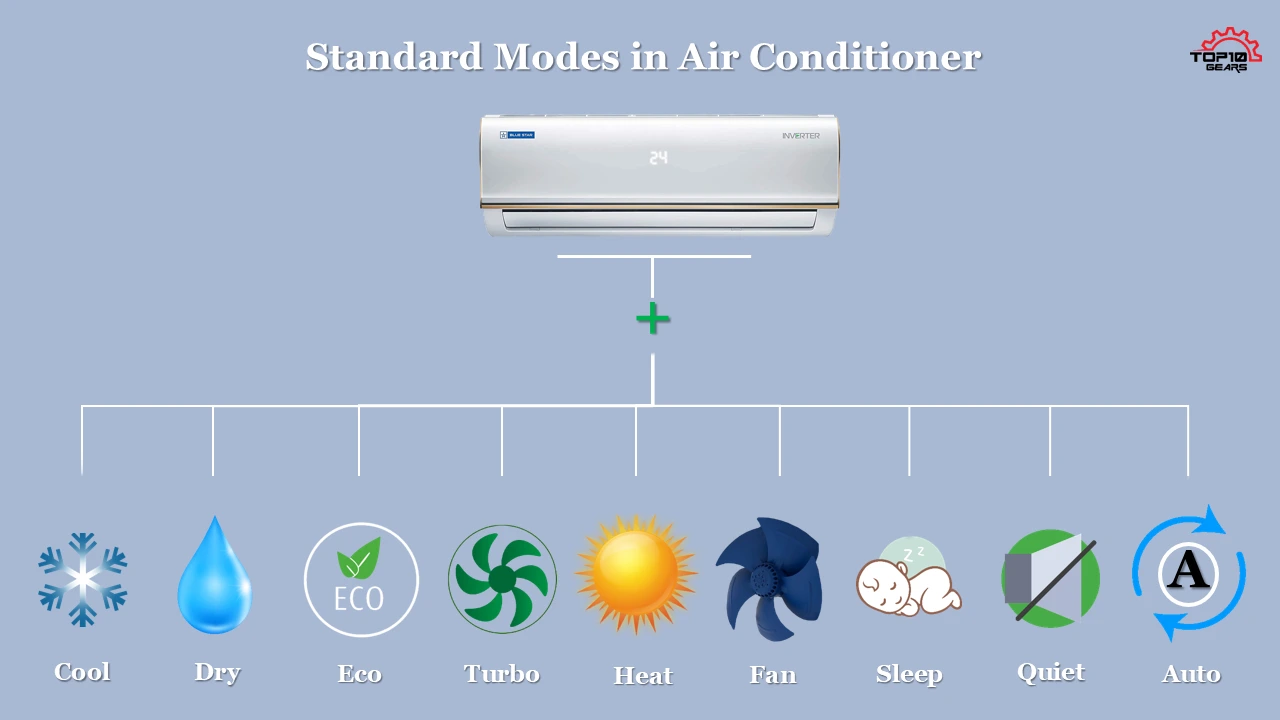
- Cool Mode: In Cool mode, the AC runs continuously to maintain the set temperature, regardless of the fan speed setting. This is less efficient than Auto mode, as the fan may run at a high speed even when not actively cooling.
- Fan Mode: Fan mode simply circulates air without cooling. While it uses less energy than Cool mode, it doesn't provide any temperature control.
- Dry Mode (Dehumidify): Dry mode focuses on removing moisture from the air. While it can provide some cooling effect, it's primarily designed to reduce humidity levels and may not be the most efficient option for overall temperature control.
Ultimately, the best setting depends on your specific needs and circumstances. However, for general comfort and energy efficiency, Auto mode is often the most versatile and cost-effective choice.
Smart HVAC Integration: Taking Auto Mode to the Next Level
The benefits of Auto mode are amplified when integrated with smart home technology. Smart thermostats, sensors, and even smart AC units can significantly enhance the functionality and energy efficiency of your HVAC system. Here's how:
- Smart Thermostats: Smart thermostats learn your preferences and automatically adjust the temperature based on your schedule and habits. They can also integrate with other smart home devices, such as occupancy sensors, to automatically switch to energy-saving modes when you're away. The Nest Learning Thermostat, for example, uses machine learning to optimize your home's temperature profile, potentially saving you up to 10-12% on heating and 15% on cooling bills.
- Occupancy Sensors: These sensors detect when a room is occupied and automatically adjust the temperature accordingly. When no one is present, the system can switch to a more energy-efficient mode, such as a higher temperature setting in summer or a lower temperature setting in winter.
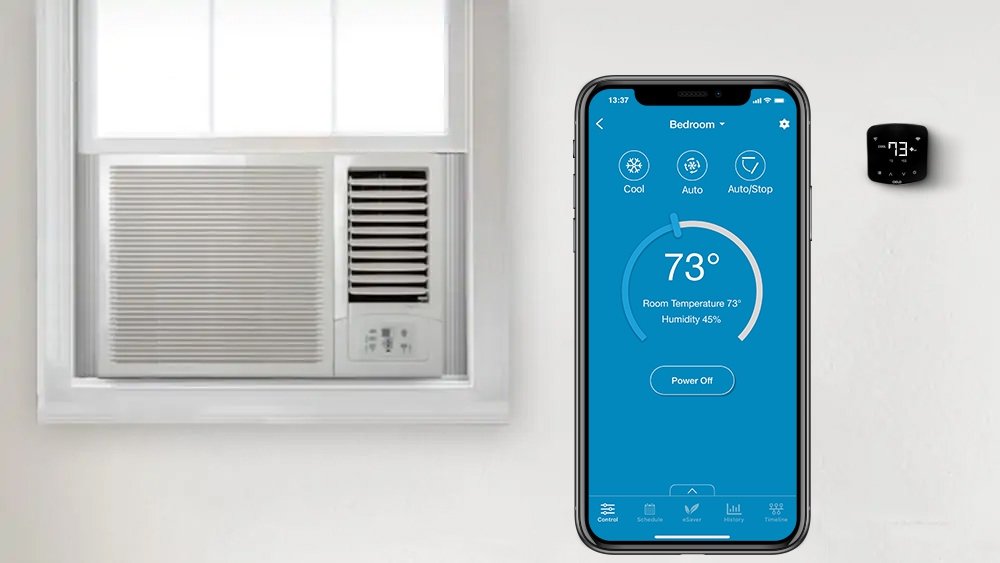
- Smart AC Units: Some AC units come equipped with built-in smart features, such as Wi-Fi connectivity and mobile app control. These features allow you to remotely monitor and adjust your AC settings, track your energy consumption, and even receive alerts if there are any issues with your system.
By combining Auto mode with smart home integration, you can create a truly intelligent and energy-efficient HVAC system that adapts to your lifestyle and minimizes energy waste. You can also leverage features like geofencing, which uses your smartphone's location to automatically adjust the temperature when you're approaching or leaving home.
Maximizing Auto Mode for Optimal Savings
To get the most out of Auto mode and maximize your energy savings, consider these tips:
- Set a Realistic Temperature: Avoid setting the temperature too low in summer or too high in winter. The smaller the difference between the setpoint temperature and the ambient temperature, the less energy your AC will consume. The U.S. Department of Energy recommends setting your thermostat to 78°F when you're home and even higher when you're away during the summer.
- Maintain Your AC Unit: Regular maintenance, such as cleaning the air filters and coils, ensures that your AC unit operates efficiently. Dirty filters can restrict airflow and force the unit to work harder, increasing energy consumption.
- Seal Air Leaks: Sealing air leaks around windows, doors, and other openings prevents conditioned air from escaping and reduces the workload on your AC unit. Caulk and weather stripping are inexpensive and effective ways to seal air leaks.
- Use Ceiling Fans: Ceiling fans can help circulate air and improve the effectiveness of your AC unit. Running a ceiling fan in conjunction with Auto mode allows you to set a slightly higher temperature without sacrificing comfort.
- Consider a Programmable Thermostat: If you don't have a smart thermostat, a programmable thermostat can still provide significant energy savings by automatically adjusting the temperature based on your schedule.
Rebates and Incentives for Energy-Efficient HVAC Systems
Investing in energy-efficient HVAC systems and smart home technology can qualify you for rebates and incentives from your local utility company or government agencies. Check the Energy Star website and your local utility provider's website for information on available rebates and tax credits. These incentives can help offset the upfront cost of upgrading your HVAC system and make energy-efficient solutions even more affordable.
For example, many utility companies offer rebates for installing Energy Star-certified AC units, smart thermostats, and other energy-saving measures. These rebates can range from a few hundred dollars to several thousand dollars, depending on the specific equipment and your location.
Conclusion
Auto mode on your air conditioner is a valuable tool for optimizing energy efficiency and maintaining a comfortable indoor environment. By intelligently managing both temperature and fan speed, Auto mode can help you save money on your energy bills and reduce your carbon footprint. When combined with smart home technology and proper maintenance, Auto mode can unlock even greater energy savings and enhance the overall performance of your HVAC system. So, the next time you reach for your AC remote, consider switching to Auto mode and letting your unit do the thinking for you.